

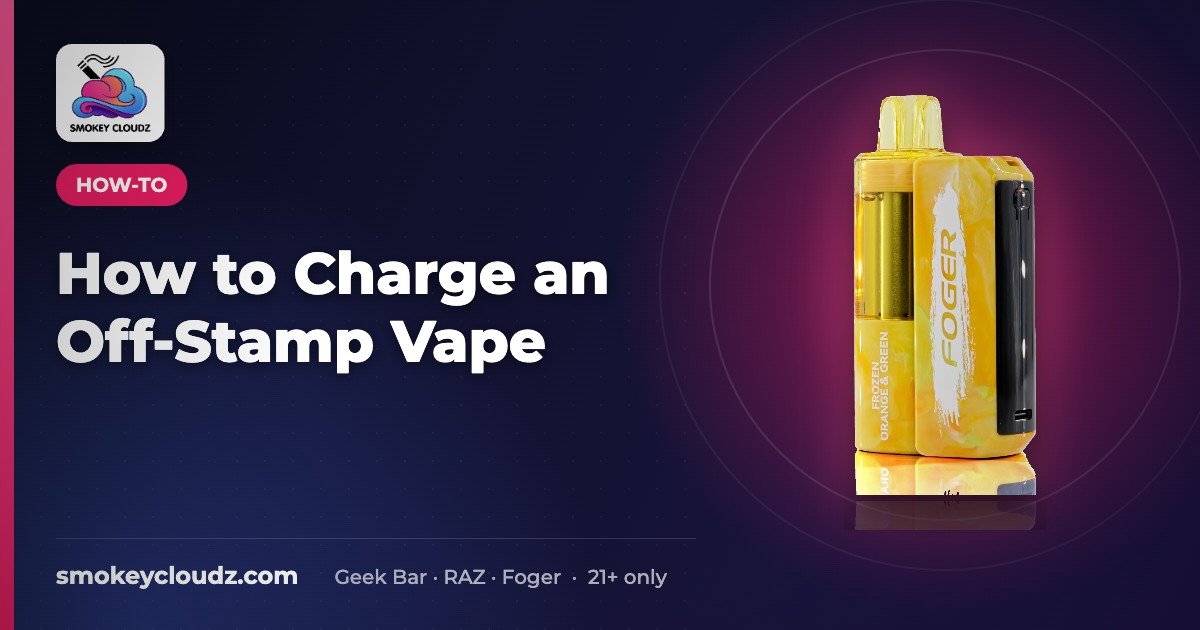
How to Charge an Off-Stamp Vape
Off-Stamp vapes charge through the USB-C port on the battery, so the pod can’t charge without it. Safe charging steps and fixes.

For adults 21+ only. Smokey Cloudz sells only to adults of legal age. See our Age Policy and Sales Restrictions. Vapes contain nicotine. Nicotine is an addictive chemical.
Quick answer: You charge an Off-Stamp vape through the USB-C port on its rechargeable battery, using a normal USB-C cable and a standard USB port or wall adapter. You can’t charge an Off-Stamp pod without the battery, because the charging port is on the battery. Never strip cables or wire anything directly to a cell.
Last updated: October 24, 2026 · By Smokey Cloudz Team
Off-Stamp devices are a two-part system: a rechargeable battery and a snap-on pre-filled pod. Smokey Cloudz doesn’t currently stock Off-Stamp, so this page covers the charging basics only and points to pod-and-battery devices we do carry. Always check the manual that came with your device for model-specific steps.
How do you charge an Off-Stamp vape?
- Check the manual. Some pod-and-battery models recommend charging with the pod attached, others with it removed. Follow what your model’s manual says.
- Plug a USB-C cable into the battery’s port. The port is on the battery, not the pod.
- Use a standard power source. A laptop USB port, a power bank or a regular phone wall adapter works. Avoid fast-charge bricks if your manual says so.
- Watch the indicator. Charge until the light or screen shows full, then unplug.
- Don’t leave it unattended. Don’t charge overnight or leave it plugged in for long periods.
Off-Stamp charging at a glance
| Question | Short answer |
|---|---|
| Where is the charging port? | On the rechargeable battery |
| What cable do I need? | A working USB-C cable |
| What power source? | Laptop port, power bank, car USB port or a standard phone wall adapter |
| Can the pod charge on its own? | No. The pod relies on the battery for power and charging |
| Is it safe to strip a cable and touch wires to it? | No. It risks short circuits, burns and fire |
| What if it still won’t charge? | Try another cable, clean the port, then retire the battery at a recycling drop-off |
How do you charge an Off-Stamp vape without the battery?
You can’t. The pod doesn’t have a charging port of its own, so there’s nothing to plug a cable into. When people search for this, they usually have one of three situations:
- The battery is lost. You need a compatible replacement battery for that system. A pod from one brand won’t run on another brand’s battery.
- The battery is dead. Try a different cable and power source, and leave it plugged in for 10–15 minutes before you judge it. If it still won’t take a charge, the battery may be at end of life.
- The battery is damaged. If it’s swollen, cracked, leaking or gets hot, stop using it. Don’t try to charge it.
How do you charge an Off-Stamp vape without a charger?
“Without a charger” usually means “without the cable that came in the box.” That’s fine. Any working USB-C cable plus a laptop port, power bank, car USB port or phone wall adapter will do the job.
What isn’t safe:
- Cutting a phone cable and touching bare wires to the battery’s terminals
- “Jump-starting” a cell with another battery
- Charging a battery that is swollen, dented or leaking
These shortcuts can cause short circuits, burns or fire. If you don’t have a working USB-C cable, get one before you try to charge.
How do you charge an Off-Stamp Crystal Cube without the battery?
We don’t stock the Crystal Cube, so check its manual for the exact layout. The rule for any pod-and-battery design is the same: the pod needs its matching battery to work and to charge. Without that battery, there’s no safe way to power the pod. Don’t try to rig a pod to a different power source.
Why won’t my vape battery charge?
- Lint or residue in the port. Clean it gently with a dry soft brush or a dry cotton swab.
- A bad cable. Cables wear out. Try a different one.
- The wrong power source. Some car ports and old hubs deliver very little power. Try a wall adapter.
- A deeply drained battery. Leave it plugged in for 10–15 minutes before deciding it’s dead.
- End of life. If nothing works, recycle the battery at a battery drop-off. Don’t put lithium batteries in household trash.
For more on battery life, see how long a vape battery lasts. For a full charging checklist that covers any rechargeable vape, see how to charge a vape.
Pod-and-battery devices we carry
If you like the two-part design, these are in stock at Smokey Cloudz. Each one charges over USB-C through its battery or power bank. Facts are copied from each product page.
| Product | How it charges | Key facts (as listed) | Price |
|---|---|---|---|
| Foger Switch Pro 30K | USB-C on the magnetic power bank | 850 mAh power bank + 200 mAh pre-filled pod; up to 30,000 puffs (Normal mode); 23 flavors | $24.99 |
| Foger Switch Pro 850mAh battery | USB-C, overcharge protection | 850 mAh replacement dock for genuine Switch Pro pods; pod not included | $9.99 |
| Foger Switch Pro 30K replacement pod | Its 200 mAh cell recharges only when docked | Up to 30,000 puffs; 5% nicotine; 50 flavors | $14.99 |
| Geek Bar Mate 60K Kit | USB-C on the 900 mAh Mate device | 900 mAh device + 200 mAh pod; up to 60,000 puffs (Regular) or 30,000 (Pulse) per pod; 8 flavors | $24.99 |
| Geek Bar Mate 60K replacement pod | Its 200 mAh cell recharges on the Mate device | Up to 60,000 puffs; 5% nicotine; 15 flavors | $21.99 |
| RAZ Vue 50K Kit | USB-C on the 900 mAh power bank | 900 mAh bank + 13 mL pod with its own 420 mAh cell; up to 50,000 puffs (Normal) or 25,000 (Boost); 15 flavors | $24.99 |
| RAZ Vue 50K replacement pod | Runs on the Vue 50K power bank; the bank charges over USB-C | 13 mL; 420 mAh cell; up to 50,000 puffs (Normal); 5% nicotine; 18 flavors | $24.99 |
Prices and flavor counts as shown on each product page on October 29, 2026, and they can change. Pods are brand-specific; check our pod compatibility chart before you buy.
Charging steps for the pod-and-battery vapes we carry
The basics on this page apply to all three, but each device has its own screen, pod fit and charging notes. These guides cover first setup, charging, swapping pods and what to try if it won’t fire.
- Foger Switch Pro 30K: how to use and charge a Foger Switch Pro. If the battery won’t read a pod, see Foger Switch Pro pod not detected.
- Geek Bar Mate 60K: how to use and charge a Geek Bar Mate.
- RAZ Vue 50K: how to use and charge a RAZ Vue. For screen, charging and pod errors, see RAZ Vue not working.
FAQ
Can you charge an Off-Stamp pod without the battery?
No. The charging port is on the battery, so the pod can’t be charged on its own.
Can I use a phone charger?
Yes. A standard USB-C phone cable and adapter work. Avoid fast-charge bricks if your manual says so.
Is it safe to charge a vape with stripped wires?
No. It risks short circuits, burns and fire.
Does Smokey Cloudz sell Off-Stamp?
Not currently. We carry Foger, Geek Bar and RAZ devices. Browse our disposable vapes.
Which pod-and-battery vapes does Smokey Cloudz carry?
We carry the Foger Switch Pro 30K, the Geek Bar Mate 60K Kit and the RAZ Vue 50K Kit, plus replacement pods for each. All three charge over USB-C through the battery or power bank. Pods are brand-specific, so use the matching pod for each device. See the charging guides above.
Shop
Browse Foger, Geek Bar and RAZ, plus replacement pods. More help in our Vape Guides. Adults 21+ only.
WARNING: This product contains nicotine. Nicotine is an addictive chemical. Keep out of reach of children and pets. For adults 21+ only.