

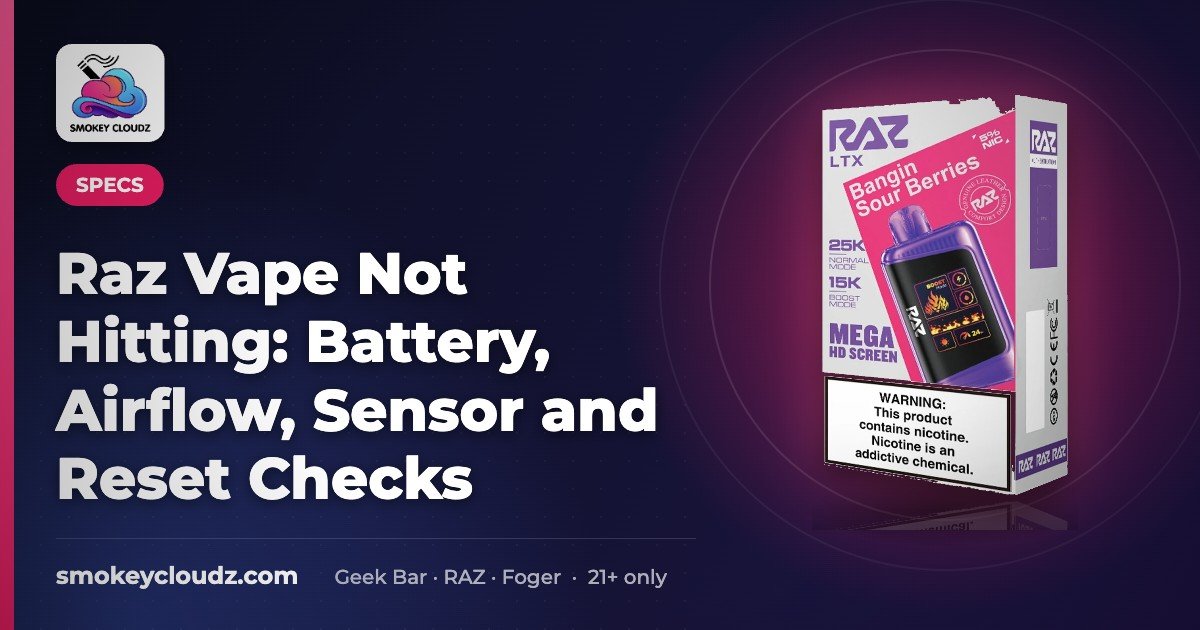
Raz Vape Not Hitting: Battery, Airflow, Sensor and Reset Checks
Quick answer: A Raz that won’t hit is usually (1) out of charge, (2) blocked at the mouthpiece/airflow, (3) not sensing your draw, or (4) out of…


For adults 21+ only. Smokey Cloudz sells only to adults of legal age; see our Age Policy and Sales Restrictions. Vapes contain nicotine, an addictive chemical.
Reviewed November 10, 2026.
Quick answer: If your RAZ vape is not hitting, work these checks in order:
- Charge it fully with USB-C until the light or screen shows a full battery.
- Clear and open the airflow at the mouthpiece and vents.
- Take slow, gentle puffs so the draw sensor can fire.
- Check the e-liquid gauge on screen models. If it is empty or tastes burnt, the sealed disposable is done — do not open or refill it.
If the light or screen still works, charge isn’t always the issue. Vue 50K owners should also reseat and dry the pod contacts (see the Vue section below). Screen models (LTX, RX) can also sit in a higher power mode or show a lock icon — see model notes below. Still stuck after these checks? Use the RAZ soft-reset guide (separate page — we don’t repeat those steps here).
1. Battery
- Charge fully with USB-C. Both stocked RAZ LTX 25K and RAZ RX 50K list USB-C charging on their product pages. Leave it until the display or light shows full. If nothing lights while plugged in, try another cable and another port or adapter.
- Don’t assume “it charged.” A blink or dead screen after a short plug-in often means the battery never reached full. Unplug, wait a minute, and check the battery readout on Mega HD (LTX) or 3D HD (RX) screens when present.
- Cold devices underperform. Warm the device to room temperature before you retry — don’t microwave, oven, or freeze it.
- Hot from a long session? Let it rest unplugged for about 10 minutes. Heat + low charge is a common “lights but won’t hit” combo; the full cool-and-retry routine lives on the reset guide.
2. Airflow
- Remove leftover caps. Check for a sticker, silicone plug, or travel cap on the mouthpiece or bottom vents.
- Clear condensation. Tap gently, mouthpiece down, onto a dry tissue and wipe. Don’t poke sharp objects into the airway or take the device apart.
- Open the airflow control. LTX lists 2-setting adjustable airflow; RX lists Adjustable airflow (both listed on the product pages). If the slider or control is nearly closed, the draw can feel like “not hitting.” Open it one step and try a slow puff.
- Still gurgling or weak? Follow the disposable unclog guide, then return here. Hard pulls can flood the path and make the next puff worse.
3. Sensor
- Use slow, steady puffs. Very hard pulls can flood the sensor/coil so the light flashes but little or no vapor comes out.
- Keep it upright and dry when you can. Pocket lint and moisture at the mouthpiece confuse draw sensing.
- Wake, don’t force. After charging and clearing airflow, two or three gentle puffs are enough to test. If it still won’t fire, jump to e-liquid checks, then the soft-reset page — don’t hammer the device with rapid hard hits.
4. E-liquid and coil
- Read the gauge on screen models. LTX’s Mega HD display and RX’s 3D HD screen show e-liquid level (per live PDPs). If the gauge reads empty, stop — no battery or airflow fix restores an empty sealed disposable.
- Burnt taste = done. A dry wick (usually used-up liquid) tastes burnt even on a full battery. Replace the device; don’t open or refill sealed RAZ disposables.
- Higher modes use liquid faster. LTX Boost (24 W) is rated up to 15,000 puffs vs Normal 12 W up to 25,000. RX lists Normal / Boost / Super Boost with lower puff ratings at higher output. A device that “died early” may simply have been run in Boost — check the mode readout before assuming a defect.
Symptom cheat-sheet
| What you notice | Check first | Then |
|---|---|---|
| Nothing lights, no vapor | USB-C charge + cable/port | Soft-reset guide if still dead after a full charge |
| Lights / screen on, no vapor | Airflow open + gentle puffs | E-liquid gauge; unclog guide if gurgling |
| Weak or tight draw | Airflow control open; clear mouthpiece | Unclog guide |
| Burnt taste | E-liquid empty / wick dry | Replace — don’t refill |
| Works after charge, dies fast | Mode (Boost / Super Boost) + battery readout | Shop a fresh LTX or RX if gauge is empty |
For blinking-after-charge and cool-down steps, use How to reset a RAZ vape — that page owns the soft-reset checklist.
Model notes: LTX vs RX (screen, modes, airflow)
These notes are from the live Smokey Cloudz product pages. Button sequences for lock or mode vary by batch — use the card or manual that came with your device, not a random internet count.
If you’re on the LTX, our guide to the best RAZ LTX flavors lists every flavor we currently carry.
RAZ LTX 25K
- What it is: Sealed disposable. LTX PDP lists Mega HD display (battery, e-liquid, wattage, mode), 800 mAh rechargeable battery, 16 mL e-liquid, USB-C, nicotine 5% (50 mg).
- Modes: Normal 12 W (up to 25,000 puffs) · Boost 24 W (up to 15,000 puffs).
- Airflow: 2-setting adjustable — confirm it isn’t closed before assuming the sensor failed.
- If it “won’t hit”: (1) charge until the Mega HD battery icon is full, (2) confirm mode isn’t Boost when you expected Normal, (3) open airflow one setting, (4) check e-liquid gauge, (5) only then follow the soft-reset guide. Comparing to Geek Bar? See Pulse X vs RAZ LTX.
RAZ RX 50K
- What it is: Sealed disposable. RX PDP lists 3D HD screen, 800 mAh battery, USB-C, nicotine 5%. E-liquid mL is not listed on the product page.
- Modes: Normal up to 50,000 · Boost up to 25,000 · Super Boost up to 20,000 puffs. Watt numbers for RX modes are not on the product page, so we list puff ratings only.
- Airflow: Adjustable — open it if the draw feels blocked.
- If it “won’t hit”: Charge first (long-rated devices often just need a full USB-C top-up), confirm you aren’t in Super Boost expecting Normal runtime, check the screen’s e-liquid/battery readouts, then hand off to the reset guide. Side-by-side with LTX: RAZ LTX vs RAZ RX.
Lock / mode buttons: Screen RAZ models may include a lock or mode control. If you see a lock icon or the device won’t fire after battery and airflow checks, use the sequence printed in your box or manual. We don’t publish a universal click count here (batches differ). Random presses can change mode instead of unlocking — which can feel like “not hitting” if output or liquid use changes.
RAZ Vue 50K (pod kit): quick not-hitting checks
The Vue isn’t a sealed disposable. It’s a power bank plus a swappable pod, so check the joint between them first.
- Fully charge the power bank, then try again.
- Pull the pod straight off, dry the pod base and the bank contacts with a dry tissue, and press it back on until it seats firmly.
- Take two or three slow, gentle puffs.
- If a new pod still won’t hit on a charged bank, try a different RAZ Vue 50K replacement pod. Keep the bank if it still charges.
More Vue-only fixes: RAZ Vue not working.
Still not working?
Work the four checks above in order. If the device still won’t hit after a full charge, clear airflow, gentle puffs, and a non-empty e-liquid reading, follow the full RAZ soft-reset routine on its own page (cool-down, blink table, Vue pod seating). If a new device has a defect, contact us through the contact page — see our returns policy.
RAZ setup guides
Many RAZ “not hitting” problems are setup issues: a device that was never fully charged, the wrong mode, or a pod that isn’t clicked in. Use the guide for your device:
- How to use the RAZ LTX
- How to use the RAZ Vue (pod issues: RAZ Vue not working)
- How to use a disposable vape (general steps, including RAZ RX)
- How to charge a vape
- How long a vape battery lasts
- Why is my vape lighting up but not hitting? (all brands)
- RAZ vape not working? (charging, screen and pod fixes by model)
| Device | Type | Price |
|---|---|---|
| RAZ LTX 25K | Disposable | $23.49 |
| RAZ RX 50K | Disposable | $24.99 |
| RAZ Vue 50K kit | Pod kit | $24.99 |
| RAZ Vue 50K replacement pod | Pod | $24.99 |
Prices from our store on November 10, 2026. Check the product page for the current price and stock. Adults 21+ only.
FAQ
Why does my RAZ light up but not hit?
Usually a blocked airflow path, a flooded draw sensor, a nearly closed airflow control, or no e-liquid left. Charge isn’t always the issue when the light still works. Clear the mouthpiece, open the adjustable airflow, and check the screen gauge on LTX or RX.
Why does my RAZ taste burnt?
The wick is dry, which usually means the e-liquid is used up. A burnt taste on a full battery still means you should replace the sealed disposable. Don’t open or refill it.
Does Boost mode make a RAZ stop hitting sooner?
Higher output uses battery and liquid faster. On the LTX product page, Boost (24 W) is rated up to 15,000 puffs and Normal (12 W) up to 25,000. On the RX product page, Boost and Super Boost list lower puff ratings than Normal. Check the mode readout before you assume the device failed.
Is there a reset button that fixes “not hitting”?
Most sealed RAZ disposables have no factory-reset button. Some screen models have lock or mode controls, so use your manual for those sequences. For the charge, cool, clear and gentle-puff soft reset, see our How to reset a RAZ vape guide.
Why is my RAZ Vue not hitting after I change the pod?
The new pod usually isn’t fully seated, or the contacts are wet. Remove it, dry the pod base and the bank contacts, press it back on firmly, and take slow puffs on a charged bank. If it still won’t hit, try another replacement pod.
What should I get if my RAZ is done?
If the e-liquid gauge reads empty or it tastes burnt, replace it. We stock the RAZ LTX 25K, RAZ RX 50K and RAZ Vue 50K pod kit for adults 21+. Browse them in our RAZ collection.
Where can I find setup steps for my RAZ model?
Use our RAZ LTX guide or RAZ Vue guide. For the RAZ RX, follow how to use a disposable vape. For charging, see how to charge a vape. The full list is in RAZ setup guides above.
How do I fix a RAZ vape that is not hitting?
Work the checks in this order: charge it fully, clear and open the airflow, take slow gentle puffs, then read the e-liquid gauge on screen models. If the light still works, charge isn’t always the issue. If it’s empty or tastes burnt, replace the sealed device. Still stuck? Use the RAZ soft-reset guide.
Shop RAZ
All RAZ vapes ·
RAZ LTX 25K ·
RAZ RX 50K ·
How to reset a RAZ ·
How many puffs does a RAZ have? ·
Which RAZ lasts the longest?
Ready to restock? Browse our RAZ vape flavors to see what’s in stock right now.
Adults 21+ only. Eligible US states only. See Sales Restrictions.