

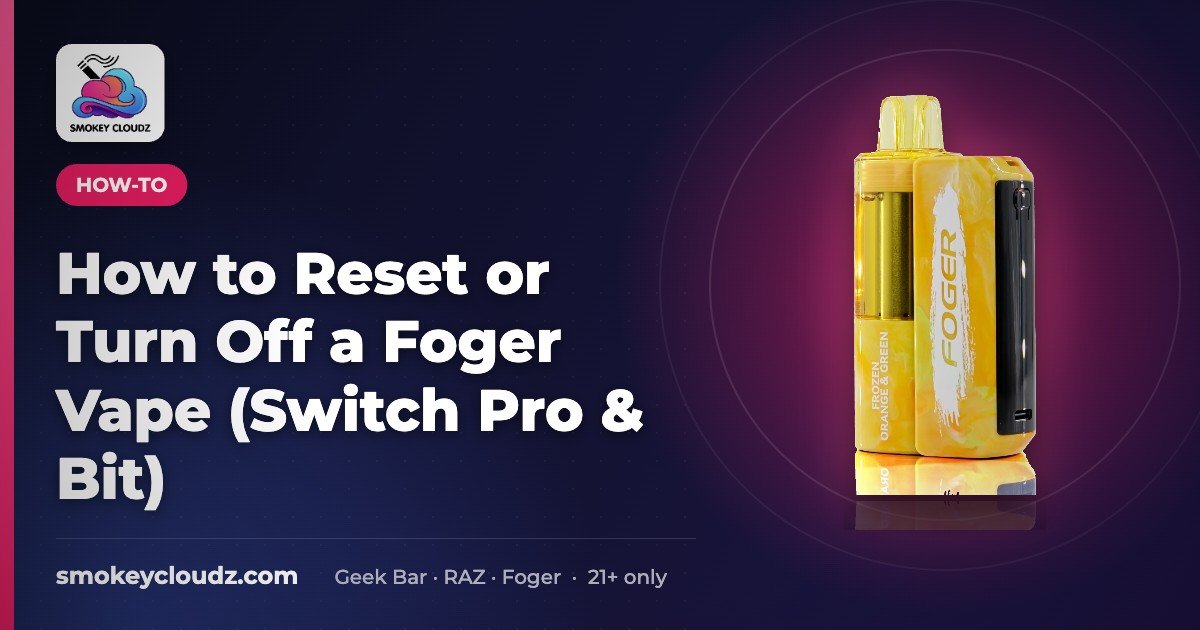
How to Reset or Turn Off a Foger Vape (Switch Pro & Bit)
Quick answer: Foger vapes don’t have a factory reset button. To “reset” one, disconnect the pod, charge the battery fully, clean the contacts, let it…


For adults 21+ only. Smokey Cloudz sells only to adults of legal age; see our Age Policy and Sales Restrictions. Vapes contain nicotine, an addictive chemical.
Reviewed November 10, 2026.
Quick answer: Foger vapes don’t have a factory reset button. To “reset” one, work these checks in order:
- Switch Pro: disconnect the pod, charge the battery fully, clean the contacts, let it cool, then click the pod back on firmly.
- Foger Bit: charge it fully, clear the mouthpiece and airflow, rest it, then try a few gentle puffs.
This clears most errors. If the device is flashing 188, reset first, then see the Foger vape blinking 188 guide for what the code means — that page owns the 188 code. Need to stop it firing in a bag? See how to turn off a Foger vape.
Reset, charge, or check the 188 guide?
- Nothing lights up or low battery shows: charge first (see how to charge a vape).
- Charged but not hitting or acting stuck: run the reset steps below.
- Flashing 188: reset first, then see Foger vape blinking 188 for what the code means.
Before you reset: quick checks
- Make sure the pod clicks in flush on the Switch Pro battery.
- Use a working USB-C cable and wall adapter.
- Let a warm device cool down before trying again.
- Take slow, gentle puffs; hard pulls can flood the airflow.
Reset steps (Foger Switch Pro)
- Remove the pod from the battery.
- Charge the battery with USB-C until full.
- Wipe the pod and battery contacts with a dry swab.
- Wait 10 minutes (longer if warm).
- Click the pod back in until flush and take a gentle puff.
Foger Bit (disposable)
Charge fully, clear the mouthpiece and airflow, rest it 10 minutes, then try a few gentle puffs.
How to turn off a Foger vape
Foger vapes don’t have a power button. The Switch Pro and the Foger Bit are draw-activated: they wake when you take a puff and go back to sleep a few seconds after you stop. So “turning it off” really means stopping it from firing by accident.
Foger Switch Pro
- Short breaks: just stop puffing. The screen goes dark on its own.
- Bag, pocket, or overnight: pull the pod straight off the battery. With the pod off, the circuit is open and it can’t fire.
- To turn it back on: click the pod back on until it sits flush, then take a gentle puff.
Foger Bit
The Bit is one piece, so there’s nothing to pull apart. Let it sleep, put the mouthpiece cap back on if you still have it, and store it where nothing presses on the mouthpiece.
What the side button does
The side button switches between Normal and Boost modes. It isn’t an on/off switch, so pressing it won’t power the device down. Check the insert in your box for the exact press pattern.
If your Foger fires when you aren’t drawing on it, that’s a fault, not a setting. Stop using it, keep it away from heat, and contact us. For a device that won’t wake back up, charge it first (how to charge a vape), then run the reset steps above.
Still not working?
- Try a new Switch Pro pod.
- If a new pod fails too, try a new battery.
- More detail: Foger vape blinking 188.
Foger setup and reset guides
More Foger help from the Smokey Cloudz Team (21+ only):
- Foger Switch Pro pod not detected: seating and contact checks when the battery will not read the pod.
- Foger Bit 35K guide: features and setup for the one-piece Foger Bit.
- How to extend the lifespan of Foger vapes: storage and charging habits.
- How long does a vape battery last: what to expect between charges.
- How to use a disposable vape: first-use basics.
| Product | Price |
|---|---|
| Foger Switch Pro 30K | $24.99 |
| Foger Switch Pro 30K replacement pod | $14.99 |
| Foger Switch Pro 850mAh battery | $9.99 |
| Foger Bit | $24.99 |
Prices checked November 10, 2026 and may change; see each product page for current price and stock.
FAQ
Is there a reset button on a Foger vape?
Not that we can confirm. The reset is the routine on this page: remove the pod, charge the battery fully, clean the contacts, let it rest, then click the pod back in.
How do I reset a Foger Switch Pro?
Remove the pod, charge the battery with USB-C until full, wipe the pod and battery contacts with a dry swab, wait about 10 minutes, then click the pod back in until flush and take a gentle puff.
How do I reset a Foger Bit?
The Foger Bit is a one-piece disposable, so there is no pod to remove. Charge it fully, clear the mouthpiece and airflow, let it rest about 10 minutes, then try a few gentle puffs.
Should I reset or just charge my Foger?
If the screen shows low battery or nothing lights up, charge first. If it is charged but still will not hit, or it acts stuck, run the full reset steps.
What if my Foger is flashing 188?
Run the reset steps first. For what the blinking 188 code means and model-specific fixes, see our Foger vape blinking 188 guide.
What if my Foger still will not work after a reset?
Try a new Switch Pro pod. If a new pod also fails, the battery is the likely issue, so try a replacement Foger Switch Pro battery.
How do I turn off a Foger vape?
There’s no power button. Stop puffing and it sleeps on its own. To make sure a Switch Pro can’t fire in a bag, pull the pod off the battery. Click it back on when you’re ready to use it.
Can I lock my Foger so it won’t fire in my pocket?
We can’t confirm a button lock on Foger devices. The side button changes Normal/Boost mode. For a Switch Pro, take the pod off the battery. For a Foger Bit, cap the mouthpiece and store it where nothing presses on it.
Where can I find more Foger setup and reset guides?
See the Foger setup and reset guides section above for pod detection, Foger Bit setup, lifespan, battery life, and disposable basics.
How do I reset a Foger vape?
Foger vapes don’t have a factory reset button. Remove the pod, charge the battery fully, clean the contacts, let it cool, then click the pod back on. For the one-piece Foger Bit, charge it, clear the mouthpiece and airflow, rest it, then try a few gentle puffs. If it flashes 188, reset first, then see the Foger vape blinking 188 guide.
Shop
Foger vapes · Foger Switch Pro
Need a new pod after a reset? See all Foger vape flavors we carry.