

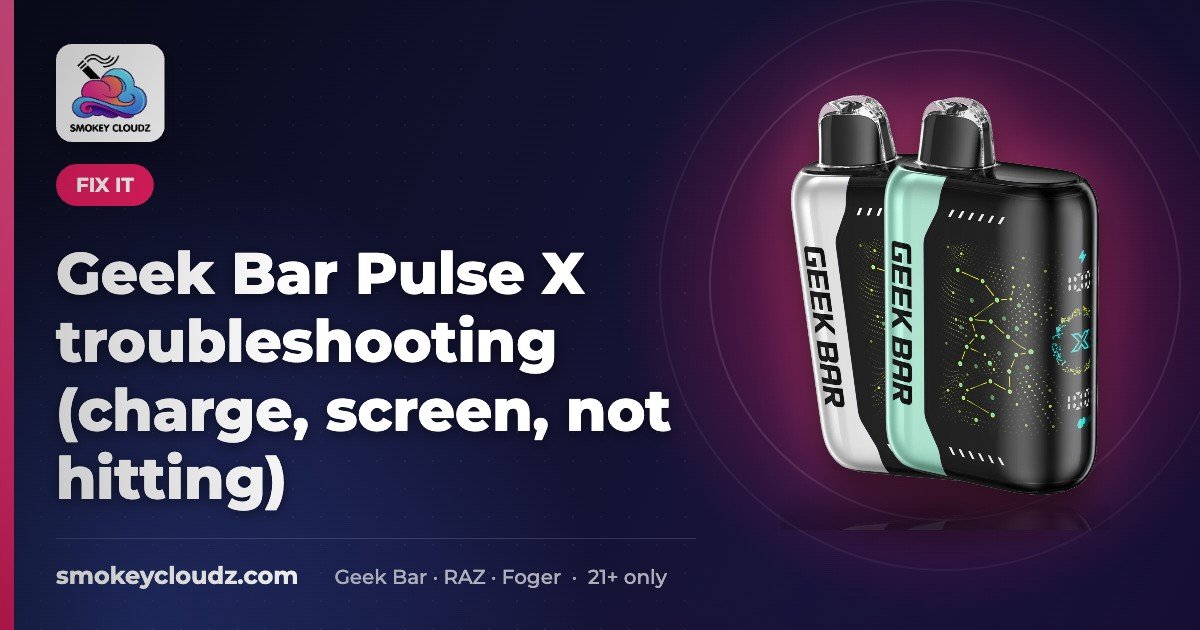
Geek Bar Pulse X troubleshooting (charge, screen, not hitting)
If your Geek Bar Pulse X will not hit, will not charge, or the screen looks blank, start with charge, rest, airflow, and gentle puffs before you assume it is dead — then replace if empty or end of life.

For adults 21+ only. Smokey Cloudz sells only to adults of legal age. See our Age Policy and Sales Restrictions. Vapes contain nicotine. Nicotine is an addictive chemical.
Checked Nov 14, 2026: the prices and rated puff counts in this guide match our Geek Bar Pulse X product page. Puff counts are manufacturer ratings, not lab tests. For adults 21+ only.
If your Geek Bar Pulse X will not hit, will not charge, or the screen looks blank or empty, start with charge + rest + airflow + gentle puffs before you assume the device is dead — then confirm e-liquid/battery status on the screen and replace the unit if it is empty or end of life.
Quick checks (do these first)
- Charge with USB-C until the screen shows a full / charged state. The Pulse X product page lists USB-C rechargeable.
- Unplug and rest ~10 minutes at room temperature. Do not fridge or freezer cool it.
- Clear the mouthpiece and airflow. Dry wipe only — no liquids into ports, and do not poke tools into the device.
- Take 2–3 slow, gentle puffs to wake the draw sensor. Hard pulls can flood the airflow.
- Confirm adjustable airflow is not fully closed. Pulse X lists adjustable airflow on the product page.
If the problem is no vapor or a weak hit, jump to Not hitting / weak hit after these checks. If lights behave oddly, charge and rest first. For model-specific light meanings, check the insert in the box or Geek Bar’s official support — we do not invent blink charts.
Won’t charge
- Confirm the cable is seated in the Pulse X USB-C port and in a known-good wall adapter or USB port.
- Try another known-good USB-C cable. Cheap or damaged cables fail often.
- Do not force debris into the port. A dry brush or compressed air from a distance is enough if lint is visible at the opening.
- If the device never takes a charge after basic cable/port checks, it is likely end of life. Shop a replacement Geek Bar Pulse X 25000.
Exact charge-time minutes are not listed on the live PDP — charge until the screen shows charged, then rest.
Full steps: Geek Bar Pulse not charging.
New to USB-C charging on disposables? Our general how to charge a vape guide covers cables, adapters and safe charging habits.
Blank / empty / odd screen
- Charge first. Many “dead screen” reports on sealed disposables are low battery. Charge until the display responds, then rest.
- If the e-liquid indicator shows empty, no soft reset helps — replace the device.
- Do not open the housing to “fix” a blank screen. Pulse X is a sealed disposable.
Not sure what a 0% reading means? See our Geek Bar Pulse X screen meanings guide.
Adjacent how-tos (not Pulse X–specific manuals): Why is my Geek vape leaking? and How to unlock a Geek vape. Re-read those live posts before treating unlock steps as Pulse X–exact.
Not hitting / weak hit
If your Geek Bar Pulse X is not hitting, start with shipping caps and the mode control, then charge, rest, and try a slow draw before you assume the device is dead. Work the table in order. If the screen shows the e-liquid is empty, replace it — Pulse X is a sealed disposable.
| If you notice | Likely cause | Safe check |
|---|---|---|
| Brand-new device, no vapor | Shipping cap or sticker still on | Remove any silicone cap or sticker from the mouthpiece and the airflow area, as described in How to use the Geek Bar Pulse X. Dry wipe only. Do not poke tools into the device. |
| Unboxed, still no hit | Mode control not set to Regular or Pulse | Set the mode control to Regular or Pulse using the labels on your packaging. Our how-to and Pulse settings guides point to the packaging for the exact positions. If a lock may be on, see How to unlock a Geek vape — do not invent a button chart. |
| Screen dark, or a weak hit after sitting | Low battery | Charge with USB-C and a known-good wall adapter or USB port until the screen shows charged. Then unplug and rest ~10 minutes at room temperature. |
| Tight draw or no air | Airflow closed or blocked | Confirm adjustable airflow is not fully closed (listed on the Pulse X product page). Wipe lint from the openings with a dry cloth only. |
| Short, hard pulls and little vapor | Draw sensor not triggering, or a flooded path | Take 2–3 slow, gentle puffs. Hard pulls can flood the airflow. |
| It worked, then faded; empty or near-empty icon | E-liquid used up | If the e-liquid indicator shows empty, replace the device. Pulse X is not refillable. |
| Harsh or burnt taste | Device at end of life | Stop using it. Do not open or refill a sealed disposable. |
Manufacturer ratings on the Pulse X PDP: Regular mode up to 25,000 puffs; Pulse mode up to 15,000. Pulse mode uses liquid and battery faster.
Still stuck after the table, or is this a different Geek Bar model? See Geek Bar not working. For a generic disposable that lights up but produces no vapor, see Why is my vape lighting up but not hitting?
When to replace vs keep troubleshooting
Replace rather than keep troubleshooting when any of these are true:
- E-liquid indicator shows empty
- Cracked housing, heavy leak, or physical damage
- No response after a full charge, ~10-minute rest, airflow clear, and gentle puffs
Have a different brand? Our vape not hitting guide covers general disposable fixes.
Dispose of battery-containing electronics per your local rules.
Shop / compare
| Need | Link |
|---|---|
| Same model replacement | Geek Bar Pulse X 25000 — $24.99 on the live PDP (verify at checkout) |
| Higher puff-class Pulse | Geek Bar Pulse X2 50000 |
| Browse the brand | Geek Bar vape collection |
Soft compares: Pulse X vs Pulse X2 · Pulse X vs RAZ LTX · Best Pulse X flavors. Bundle pricing such as 2 for $44.99 or 3 for $59.99 may show on the Pulse X page — confirm at checkout.
Thinking of switching devices? See Pulse X vs Raz RX.
Pulse X setup and settings guides
Troubleshooting is for when something goes wrong. If you just want to set up or use the device, these step-by-step guides help:
- How to use the Geek Bar Pulse X — first puff, airflow and mode switching.
- Geek Bar Pulse settings — Regular vs Pulse mode explained.
- How to charge a vape — USB-C charging basics.
- How to use the Geek Bar Pulse X2 — if you moved up to the X2.
| Device | Price (live store) |
|---|---|
| Geek Bar Pulse X 25000 | $24.99 |
| Geek Bar Pulse X2 50K | $24.99 |
Prices can change. Confirm at checkout.
FAQ
Does Pulse X have a factory reset button?
Treat “reset” as a soft reset: charge, rest, clear airflow, gentle puffs. Smokey Cloudz has no manufacturer-documented Pulse X factory-reset sequence to cite. We do not invent button charts.
Can I refill a Geek Bar Pulse X?
No. Pulse X is a sealed disposable (not refillable), as listed on the product page.
What are Regular vs Pulse mode puff ratings?
Manufacturer ratings on the live PDP: Regular up to 25,000 puffs; Pulse up to 15,000. Also listed: 18 mL pre-filled, 5% nicotine, dual mesh, 3D screen, USB-C, adjustable airflow.
Who can buy Pulse X at Smokey Cloudz?
Adults 21+ only. Age verified at checkout; adult signature may be required. Free shipping on eligible orders $150+. See Sales Restrictions (including no CA / no LA shipping where stated). Wondering about app delivery? See Can you DoorDash a vape?
Where can I find step-by-step Pulse X setup instructions?
See our How to use the Geek Bar Pulse X guide for first use, airflow and modes, and our Geek Bar Pulse settings guide for Regular vs Pulse mode. This page covers fixes when something goes wrong.
Why is my Geek Bar Pulse X not hitting?
First remove any shipping cap or sticker from the mouthpiece and airflow, and set the mode control to Regular or Pulse as shown on the packaging. Then charge with USB-C and a known-good wall adapter, rest about 10 minutes at room temperature, confirm airflow is not fully closed, and take 2–3 slow, gentle puffs. If the e-liquid indicator shows empty, replace the device. See the not-hitting table on this page for the full sequence.
Adults 21+ only. Nicotine is an addictive chemical. This guide is for product use troubleshooting only — it is not medical advice and does not claim vaping is safe or helps anyone quit.