
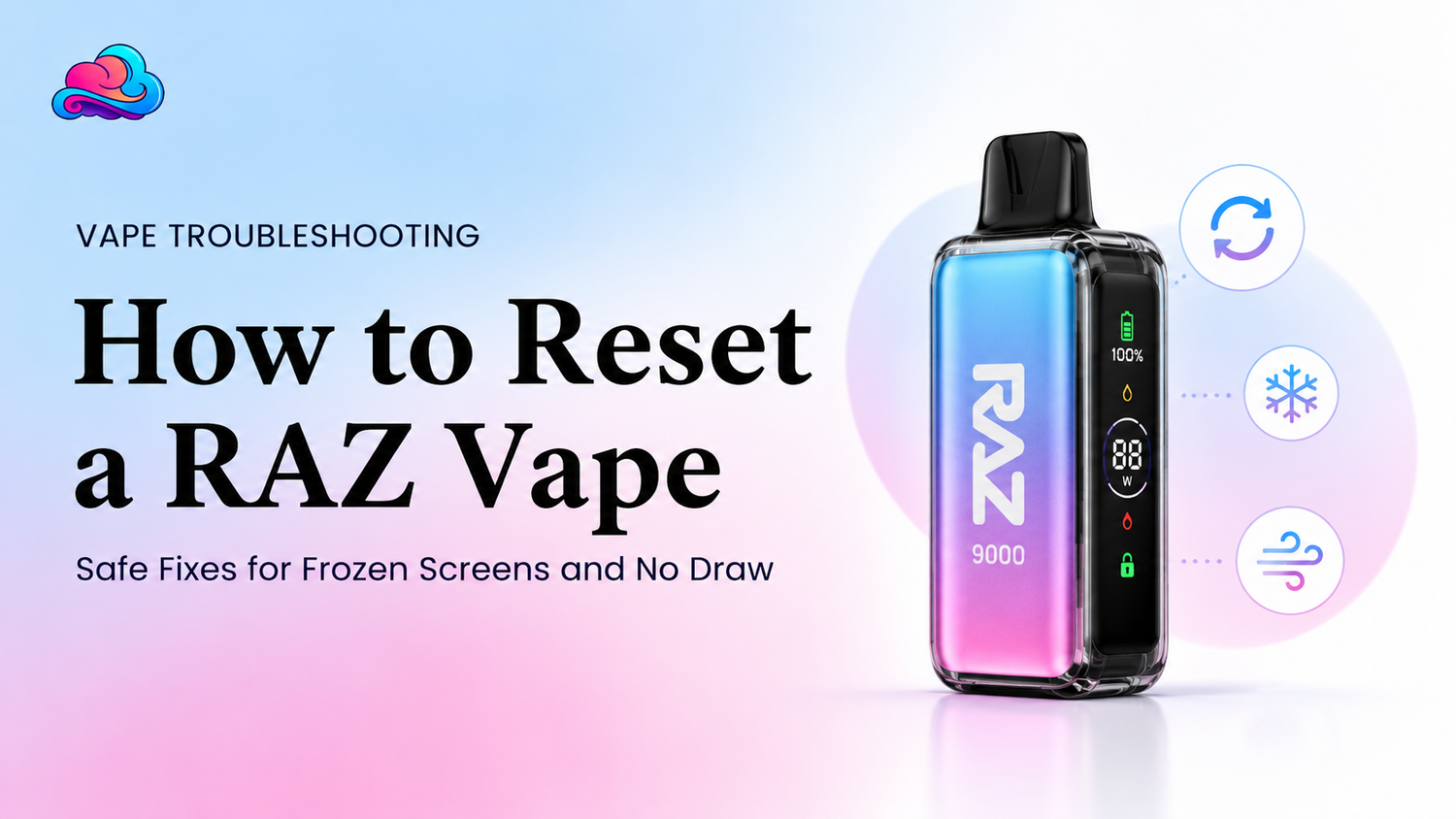
A frozen screen or silent draw can make a rechargeable disposable feel completely dead. The battery may have shown power only a few minutes earlier, yet the display no longer changes and the coil produces no vapor. When adults search how to reset raz vape, they often expect a hidden button or factory command. Most sealed RAZ devices do not publish that kind of user control.
A safe RAZ vape reset is better treated as a controlled power check. Disconnect the cable, let the device rest, inspect the airflow and port, recharge it correctly when needed, then try 1 steady draw. This process may clear a temporary power or sensor issue, but it cannot refill liquid, rebuild a coil, or repair damaged electronics.
The current RAZ RX 50000 page lists a draw activated device with an 800mAh rechargeable battery, USB C charging, 9 airflow levels, 3 power modes, and a screen for battery, liquid, charging status, and animation. It does not list a factory reset button or user reset command.
This article is for adults aged 21 and above. Nicotine is addictive. Stop using any device that leaks heavily, swells, smells burnt, produces smoke, or becomes unusually hot.
Direct Reset Answer
The safest answer for how to reset raz vape is to perform a RAZ soft reset, not an internal repair. Remove the charging cable, place the device upright on a hard dry surface, wait until it cools, check the mouthpiece and airflow, then reconnect power only when the battery is low.
After charging, disconnect the cable and allow the screen to settle. Open the airflow to a middle position and try 1 light steady draw. This RAZ vape power cycle may restore normal screen or sensor response after a temporary low power state.
Do not open the case, short contacts, press the screen, or copy button patterns from another brand. The RX 50000 listing says the sealed device should not be refilled, opened, or exposed to water or strong heat.
Factory Reset and Soft Reset Are Different
A factory reset normally returns electronic settings to an original state through a published button command or menu. The current RAZ RX 50000 product information does not publish that feature.
A RAZ soft reset means removing outside power and letting the device return to an idle state. The battery is not removed because the body is sealed. The user is only ending charging, allowing a rest period, then starting a normal charging and draw check.
This distinction matters because the phrase RAZ vape reset can lead adults toward unsafe online tricks. A sealed disposable should never be cut open to disconnect its battery.
Can Charging Act Like a Reset?
A RAZ charging reset may clear a temporary low battery or screen state, but charging is not a guaranteed repair. Connect the device only when the body is dry, cool, and free from heavy leaks.
Use a cable that fits without force. Watch the charging indicator, remain nearby, and disconnect after the battery shows full. The RAZ RX 50000 listing says to keep the sealed device away from water, heat, and direct sunlight.
A RAZ charging reset cannot repair an empty tank, worn coil, broken draw sensor, damaged screen, or loose internal connection. More charging is not better after the full symbol appears.
Screen Frozen but Device Still Draws
A RAZ screen frozen condition can occur while the coil still produces vapor. The display may remain on 1 image, show an old battery level, or stop showing the draw animation.
Stop using the device for a few minutes. Disconnect any cable and let the body cool. Then perform the normal RAZ vape power cycle and check whether the screen updates after charging or after 1 steady draw.
Do not tap, bend, squeeze, or heat the screen. If vapor continues but the display stays frozen, battery and liquid readings can no longer be trusted. Store support is more suitable than repeated testing.
Screen On but No Draw Response
A powered display does not prove that the sensor and coil are working. A RAZ device not responding may still show battery information while producing no vapor.
Check that every shipping plug and airflow sticker has been removed. Move the airflow away from the fully closed position, wipe only the outer mouthpiece and visible air opening with a dry tissue, and try a steady draw.
The RX 50000 is draw activated and has adjustable airflow. A closed or blocked path can prevent a normal pressure change from reaching the sensor.
Safe Power Cycle Steps
Use this process when reviewing how to reset raz vape without opening the device:
-
Stop drawing and disconnect every cable.
-
Place the device upright on a hard dry surface.
-
Check for cracks, swelling, heat, smell, or leaking.
-
Wait until the body reaches normal room temperature.
-
Wipe the outer mouthpiece and visible airflow area.
-
Set adjustable airflow near the middle.
-
Connect a fitting USB C cable when the battery is low.
-
Watch the charging symbol and remain nearby.
-
Disconnect after the full reading appears.
-
Wait 2 minutes, then try 1 light steady draw.
This is a RAZ soft reset and charging check. It is not a hidden factory command, and it should stop at once when a physical battery warning appears.
Frozen Display With a Charging Cable Attached
A screen can appear stuck during charging because the device remains on 1 charging image. Remove the cable after the battery reaches full and give the screen time to turn off.
When the RAZ screen frozen issue continues, test a different undamaged cable only when the first cable gave no clear charging response. Do not keep changing power sources after the device becomes warm.
A normal RAZ charging reset ends with the cable removed. Leaving the device connected for hours can hide whether the screen can return to its idle state.
Can Airflow Block a Reset Check?
Yes. A closed slider, lint, condensation, or a finger over the intake can make a working battery look dead. The sensor needs air movement to activate a draw based device.
Open the airflow partway and use a dry soft brush on the outside only. Do not push a pin, wire, or wet swab into the opening because it may damage a seal or move liquid toward the sensor.
If the RAZ device not responding issue clears after airflow is opened, the device did not need an electronic reset. It needed a normal air path.
Empty Liquid and Worn Coil Limits
Resetting cannot create liquid. A screen may turn on after a RAZ vape power cycle even when the tank is near empty or the coil has reached its working end.
Review the liquid indicator, vapor level, and taste together. A lasting burnt taste, very weak output, or no vapor near an empty reading points toward replacement rather than another RAZ vape reset.
The RX 50000 is prefilled with 19mL and is not refillable. Its puff totals also change by mode, so a printed estimate does not show the exact remaining life for every adult.
A Real Adult Use Example
Consider an adult named Omar. His RX 50000 screen stays on the same animation and the device gives no vapor. He thinks the device has failed.
Omar disconnects the cable, notices the body is warm, and lets it rest upright. He opens the airflow from nearly closed to the middle, then completes a RAZ soft reset with a normal charging session. After the cable is removed, the screen returns to idle and 1 steady draw works.
Several weeks later, the same device has a very low liquid reading and a burnt taste. A second RAZ charging reset restores the battery symbol but not the vapor. Omar stops using it because a reset cannot restore liquid or coil material.
Other Device Formats Need Other Checks
The RAZ RX 50000 product details describe a sealed complete device. Its charging, airflow, display, and power modes belong to that exact model.
The Geek Bar Pulse 2 device controls also include draw activation, adjustable airflow, USB C charging, and a screen, but its modes and hardware are not RAZ reset instructions.
The Geek Bar Mate replacement pod system uses a removable pod and matching battery. That modular contact check should not be copied onto a sealed RAZ body.
New Device First Checks
A new device may seem dead because a plug, film, or airflow seal remains attached. Check the packaging before trying a reset check.
The Geek Prime beginner notes give wider first use context for adults reviewing package details, battery information, and device format. The brand is different, so its controls should not be treated as RAZ commands.
A new RAZ device not responding after seal, airflow, charging, and cooling checks may qualify for seller review. Keep the box, receipt, order number, and clear photos.
Charging Habits That Reduce False Faults
Weak vapor can come from low battery rather than a broken coil. The Geek Prime use and charging guide explains that charging restores battery power but does not replace liquid or repair a burnt coil.
Use that broad principle with RAZ, while following the exact RAZ screen and port. Do not charge overnight, on bedding, near water, or inside a hot vehicle.
Good charging habits make it easier to tell whether RAZ screen frozen behavior is a temporary power state or a lasting device fault.
Nicotine Strength Is Not a Reset Issue
Repeated draws can cause discomfort before a technical fault is confirmed. A reset test should use 1 light draw, not a long series of hard pulls.
The Geek Prime nicotine strength guide explains that nicotine level, puff length, airflow, and use frequency can change the way a device feels. Those points apply to adult comfort, not to RAZ repair.
Stop after dizziness, nausea, chest discomfort, or breathing trouble. A reset check should never involve repeated use that makes symptoms worse.
Buying Records and Seller Checks
Adults often need a replacement review because the exact device arrived faulty, not because they missed a reset command. Keep the product page, flavor, order date, batch details, and package.
The Geek Prime online buying checks give broader seller and order context. Use the same record keeping idea for a RAZ purchase, while relying on the RAZ listing for exact hardware.
A warranty or store claim is more suitable when the RAZ device not responding problem appears immediately, the screen stays frozen after normal checks, or the device will not accept charge through an undamaged cable.
Issues That Often Make the Fault Worse
The first issue is searching for a pinhole reset and pushing metal into the device. A charging port and airflow opening are not reset buttons.
The second issue is striking or squeezing the body. Impact can damage the display, sensor, liquid seal, or battery.
Another issue is repeating a charging check after the battery is already full. More power cannot repair empty liquid or worn cotton.
The final issue is opening the case to disconnect the battery. A sealed nicotine device should not be cut, pried, punctured, or rewired.
Better Reset and Replacement Practices
Use only outer checks. Keep the device cool, dry, upright, and away from direct sunlight.
Perform 1 RAZ vape power cycle, then review the result. Repeating the same process many times rarely adds useful information.
Record the screen state before and after charging. A short video can show that the display remains frozen or that the draw gives no response.
Stop after clear end signs. Heavy leaking, swelling, strong heat, smoke, cracks, and a lasting burnt smell call for removal from use.
Community Advice Needs Care
A community discussion about a disposable vape that will not work shows the kind of problem that leads adults to search for quick fixes. Community replies cannot confirm a safe reset command for a specific RAZ model.
Do not copy advice that involves opening the body, bypassing protection, shorting contacts, or heating the device. Product information and seller support carry more weight than an unverified comment.
Connection With the Wider RAZ Care Strategy
The phrase how to reset raz vape belongs inside a complete RAZ screen and power troubleshooting guide. The wider topic includes battery readings, charging, airflow, sensor response, liquid level, modes, leaking, heat, and replacement signs.
This article supports that pillar by separating a factory reset from a controlled reset process. It also shows when a RAZ screen frozen issue can be checked through a controlled rest and charging process.
The same review must still match the exact model. RX 50000 controls should not be replaced with instructions for another RAZ line or another brand.
When Store Support Is More Suitable
Contact Smokey Cloudz when a new device arrives open, cracked, heavily leaking, dead, or different from the ordered item. Keep the package and proof of purchase.
Store support is also suitable after 1 careful RAZ vape reset attempt fails. Share the model, flavor, screen behavior, charging response, liquid reading, and steps already completed.
Urgent medical or safety support is needed after burns, smoke exposure, fainting, chest pain, or serious breathing trouble. Do not perform another draw test.
Conclusion
The safest answer for how to reset raz vape is a controlled outer power check. Disconnect the cable, let the device cool, inspect the airflow and port, charge only when needed, remove the cable, then try 1 steady draw.
Current RX 50000 product information does not publish a factory reset button or user command. A soft reset may clear a temporary screen, battery, or sensor state, but it cannot restore liquid, a burnt coil, or damaged electronics.
When the screen remains frozen, the device stays unresponsive, or physical warning signs appear, stop testing. A store or warranty review is more suitable than opening the sealed body.
FAQs
Are Reset Functions Present on Every RAZ Model?
No published reset command applies to every RAZ model. Check the exact product information and avoid controls copied from another device.
Can Charging Perform a Soft Reset?
A normal charge and rest cycle may clear a temporary power state. It cannot guarantee repair of a screen, sensor, or coil fault.
Which Steps Form a Safe Reset?
Disconnect power, let the device cool, check airflow, charge when low, remove the cable, wait briefly, and try 1 steady draw.
Can Resetting Fix an Empty Device?
No. A reset cannot add liquid or repair a coil that has reached its end.
Should a Frozen Screen Be Pressed?
No. Do not press, bend, hit, or heat the display. Use outer checks and contact the seller when it remains frozen.
Can Closed Airflow Make the Device Look Dead?
Yes. A closed or blocked airflow path may prevent the draw sensor from activating.
Is There a Reset Hole Near the Charging Port?
The supplied RX 50000 information does not list a reset hole. Do not insert metal into the port or airflow opening.
Can a Power Cycle Fix a Burnt Taste?
No. A lasting burnt taste usually points toward low liquid or coil wear, not a screen state.
When Is a Warranty Claim More Suitable?
Use seller support when a new device fails after seal, airflow, cooling, cable, and normal charging checks.
Which Warning Signs End Reset Testing?
Stop after heavy leaking, swelling, cracks, smoke, strong heat, a sharp smell, or a lasting burnt taste.

Leave a comment
This site is protected by hCaptcha and the hCaptcha Privacy Policy and Terms of Service apply.