
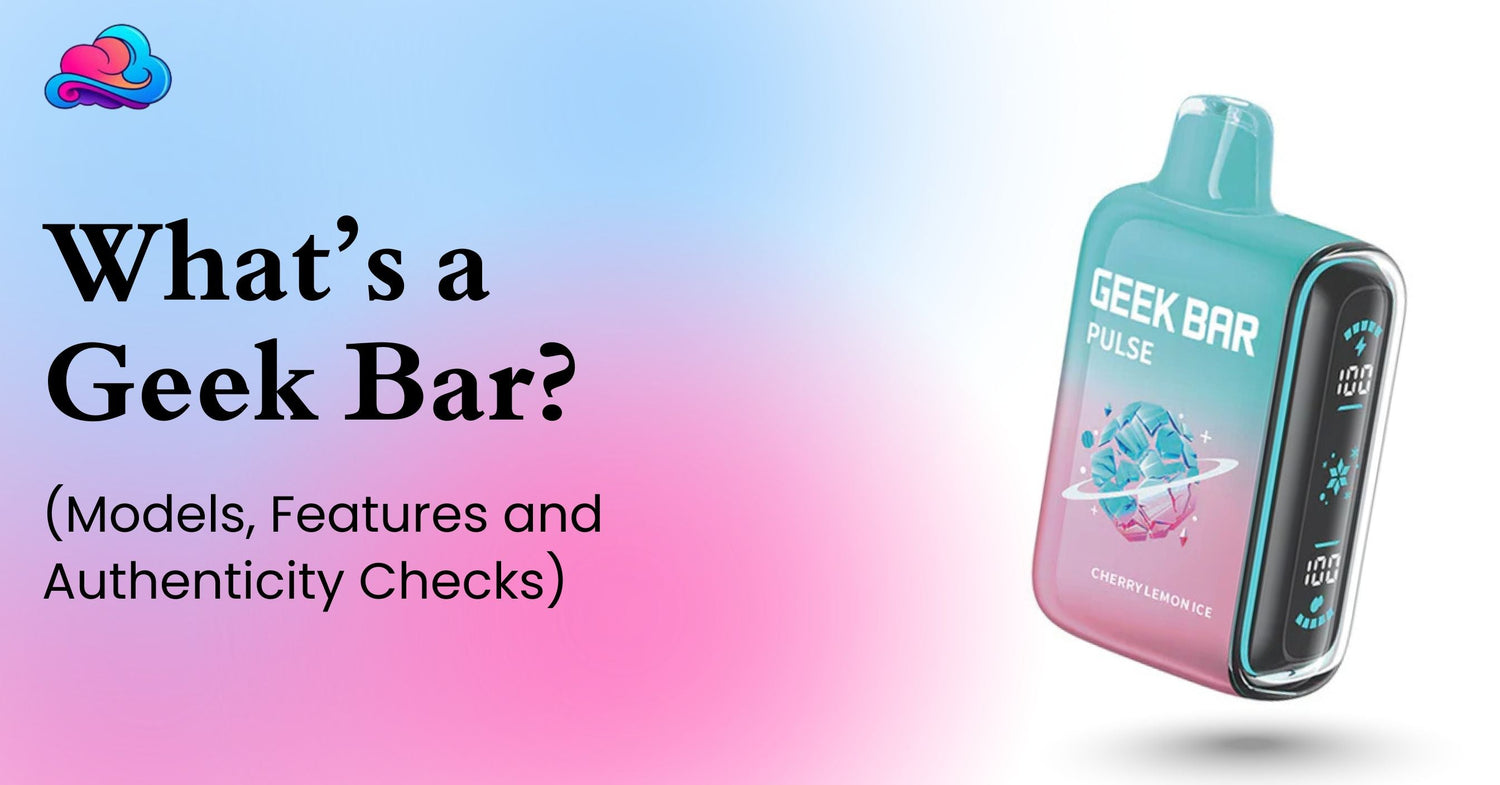
An adult may hear the name Geek Bar and assume every box contains the same type of ready to use vape. That is no longer accurate. The current official product range includes both complete disposable devices and pod systems. A product such as the Geek Bar Clio Platinum replacement pod needs its matching battery base, so reading the box matters before payment. The direct answer to whats a geek bar is that Geek Bar is a vape brand with several device families, screens, modes, battery setups, puff ratings, and flavor menus.
The basic Geek Bar meaning comes from the brand name, not from 1 universal device design. Older buyers may remember small sealed bars, while current listings also show larger screens, stronger mode controls, and replaceable pod formats. That growth can be useful, but it can also make the shelf harder to read.
This guide is for adults aged 21 and above. Many Geek Bar products contain nicotine, which is addictive. A product page, security code, or familiar logo does not mean vaping is safe or suitable for a person who does not already use nicotine.
Direct Brand Answer
The fastest answer to whats a geek bar is this: it is an electronic vape product sold under the Geek Bar brand. The official brand FAQ describes Geek Bar as a disposable vape device, while the current product catalog now separates disposables from pod systems.
A Geek Bar disposable is normally sold as a complete prefilled device. It is used until the liquid or coil reaches its end, then the sealed unit is replaced. Current disposable listings include models such as Pulse 2, Pulse X 2, CLR, and Somax 80K.
A pod system keeps part of the hardware and replaces the liquid pod. Current official listings place Mate 60K, Spark, Clio Platinum, and Visionmax in the pod system group. That is the main reason buyers should not assume all Geek Bar models work the same way.
Is Every Geek Bar a Disposable?
No. The brand still sells complete disposable products, but it also lists pod systems. A buyer can therefore receive the wrong item by ordering only from a flavor name or puff number.
A Geek Bar disposable includes the battery, liquid, coil, and mouthpiece in 1 finished unit. A pod listing may include only the replaceable liquid section, and a separate kit may be needed for charging, mode control, or full use.
The box should state kit, device, pod, or replacement pod. Read that wording before comparing prices because a lower pod price should not be compared with a complete device price.
Geek Bar Meaning for New Adult Buyers
For a first time adult buyer, Geek Bar meaning should be tied to product format. The brand name tells you the maker, while the model name tells you the actual hardware.
Pulse, Pulse X, Pulse 2, Pulse X 2, CLR, Clio Platinum, Mate 60K, and other names can point to different screens, batteries, puff claims, modes, and replacement needs. The official catalog also changes as new releases arrive, so an older summary may not cover the current range.
Read the model page and package together. The right question is not only “Is it Geek Bar?” It is also “Is this a full device, a kit, or a replacement pod?”
Can Current Models Have Different Puff Counts?
Yes. Geek Bar models can differ greatly in rated puff count. The original Pulse page lists 15,000 puffs in its regular setting and 7,500 in Pulse Mode, while the current Pulse X 2 page states up to 50,000 puffs in Regular Mode based on internal testing.
A printed total is an estimate rather than a personal guarantee. Draw length, power mode, airflow, daily use, battery condition, and liquid use can all change the final result.
The Foger puff count notes cover the same wider point for another brand. Puff numbers are most useful when the adult compares the same mode and similar use pattern.
Can Modes Change Device Duration?
Yes. Stronger settings normally use more power and liquid per draw. A model may therefore show a larger total in its regular setting and a smaller total in a stronger setting.
The original Pulse uses regular and Pulse settings. The official Skyview page lists Soft, Normal, and Pulse settings, while the Clio Platinum replacement system lists Regular, Pulse, and Super Pulse totals on the Smokey Cloudz page.
Mode names are not equal across every model. Read the exact Geek Bar models page rather than applying Pulse instructions to CLR, Clio, Mate, or another device.
Are Geek Bar Flavors the Same Across Every Model?
No. Geek Bar flavors can vary by line, country, retailer stock, and release date. A flavor available for Pulse may not appear for Clio Platinum or Mate 60K.
The official Mate 60K page currently shows options such as Blue Razz Ice, Amazon Lemonade, White Gummy, Sky Blue Ice, Cool Mint, Sour Apple Ice, and Miami Mint. The Pulse and Skyview pages display different menus.
A flavor name also does not prove the nicotine strength or device format. Check the package and listing for the exact strength, liquid amount, mode, and product type.
Can 1 Flavor Name Refer to Different Hardware?
Yes. Popular Geek Bar flavors may appear in more than 1 family. Blue Razz Ice, Miami Mint, and other names can show up across different screens, batteries, and mode systems.
That does not make the products identical. A flavor in a sealed device and the same flavor in a replacement pod may have different liquid capacity, puff claim, and charging path.
Adults comparing products should keep the model name beside the flavor name. A screenshot showing only the flavor can lead to the wrong order.
Is Geek Bar Charging the Same on Every Device?
No. Geek Bar charging depends on the product format. A rechargeable sealed disposable usually charges through its own USB C port, while a replaceable pod may charge through a matching battery base.
The official Hero instructions identify it as a rechargeable draw activated product and state that it uses USB Type C charging. The same page tells adults to stop using a damaged or leaking device rather than attempting repair.
A pod system can work differently. The Clio Platinum pod has a built in cell that charges through the matching base, according to the supplied product listing. Never force a cable into a pod with no charging port.
Charging Checks Before First Use
Review the box before any Geek Bar charging attempt. Confirm that the exact product supports charging and locate the intended port or base.
Keep the device dry and place it on a hard surface. Disconnect it after its normal full indication, and stop after heat, swelling, smoke, a damaged port, or heavy leaking.
The Foger vape instructions for adults give wider outer checks for stickers, airflow, low power, and safe charging. Those notes should not replace the exact Geek Bar package directions.
Can Another Brand Guide Be Used for Geek Bar?
Only for broad buying habits, not exact button or charging commands. The adult Foger device use notes show why each model needs its own setup review.
A button may control power on 1 device and modes on another. A pod may charge through a dock, while a sealed device may use USB C directly.
Cross brand advice can cause charging or compatibility mistakes. Use the actual model page and packaging for Geek Bar controls.
Authenticity Code Location
The official verification page says the authentication label is on the side of the package. The buyer scratches the coating, scans the code, and verifies it through the official Geek Bar website. Each code is intended for 1 verification.
A Geek Bar authenticity code should be checked before the package is thrown away. Keep the box and receipt until the device works normally.
The official page also warns buyers to verify through the correct Geek Bar domain. A QR code that opens a misspelled or unrelated site should not be trusted.
Authenticity Review in 8 Steps
Use this process for a Geek Bar authenticity code check:
-
Keep the product sealed during the first package review.
-
Check print quality and model spelling.
-
Locate the label on the side of the box.
-
Scratch the covered area carefully.
-
Scan the QR code or enter the security number.
-
Confirm that the official Geek Bar site opened.
-
Review whether the result says valid, invalid, or previously checked.
-
Save the receipt and package.
The official FAQ says a real first time code should show a valid result. A result saying it was already queried on the first personal check can be a warning sign, while an invalid result also needs seller review.
Can a Valid Code Prove the Device Is Perfect?
No. A valid Geek Bar authenticity code supports product identity, but it does not prove that storage, shipping, battery condition, or every internal part is perfect.
Inspect the box for crushing, stains, opened seals, and mismatched labels. After opening, stop if the device is swollen, cracked, leaking heavily, smoking, or unusually hot.
Geek Bar’s warranty page tells buyers to keep proof of purchase and the authentic code on the package for a claim. That is another reason not to discard the box immediately.
A Real Adult Buyer Example
Consider an adult named Daniel who asks whats a geek bar after seeing 2 boxes with the same brand name. One box is a complete disposable, while the second is a Clio Platinum replacement pod.
Daniel checks the product format, puff rating, flavor, strength, and charging path. He also checks the Geek Bar authenticity code on the side of the package before discarding the box.
The pod costs less, but it needs the matching base. Daniel buys the correct full setup rather than treating every Geek Bar package as a ready to use disposable.
Comparing Geek Bar With Other Pod Systems
The RAZ Vue 50K replacement pod is made for its own RAZ battery system. It cannot be attached to a Geek Bar base merely because both products use magnets.
Compatibility is brand and model specific. Contact shape, voltage, battery control, pod size, and charging path can differ.
This comparison supports a wider buying rule: a replacement pod should always name its matching kit. Similar shape is not proof of compatibility.
Comparing Geek Bar With Other Disposables
The Foger Bit 35K disposable is another complete rechargeable product. It has its own puff claim, liquid amount, charging notes, and flavor menu.
A Geek Bar disposable should be compared with another complete device, not with a replacement pod. Match box contents, liquid capacity, modes, battery, nicotine strength, and price.
The brand logo alone does not settle value. The full model specification matters more than a broad category name.
Nicotine Strength Needs Its Own Check
Many current United States product pages show 5% nicotine, but strength can vary by product and market. Do not rely on device size or flavor name.
The low nicotine disposable buyer notes separate reduced nicotine from zero nicotine. That distinction matters when comparing Geek Bar flavors, because taste does not reveal strength.
Read the nicotine statement before payment. Lower strength still means nicotine may be present and addictive.
School and Restricted Area Rules Stay Separate
Knowing the Geek Bar meaning or buying an authentic product does not give permission to use it everywhere. Schools, workplaces, hospitals, airports, hotels, and private properties may prohibit vaping.
The guide on vape detectors used by schools covers air sensors and school policy concerns. Adult products should be kept away from minors and school property.
Store devices securely when use is not allowed. A legal adult purchase does not override location rules.
Errors That Often Lead to the Wrong Order
The first error is buying from the flavor name alone. The same flavor can appear in different hardware.
The second error is treating every package as a complete device. Pod boxes may need a separate base.
Another error is comparing the largest puff figure without checking the active mode. Stronger modes often carry lower rated totals.
The last error is discarding the box before checking the security code. That can remove the main product verification record and make a seller claim harder.
Better Buying Practices
Read the full title, model name, box contents, nicotine strength, liquid amount, puff rating, modes, and charging notes. Keep those details together rather than checking only 1 number.
Review the current official product category. It shows whether a model is listed as a disposable, pod system, or another format.
Keep the receipt and package until the product works normally. A retailer can review a wrong item or early fault more fairly when the original records remain available.
Connection With the Wider Geek Bar Strategy
The search phrase whats a geek bar belongs inside a complete Geek Bar brand, model and authenticity guide. The pillar page can compare disposables, pod kits, replacement pods, screens, modes, puff ratings, strength, flavors, charging, and verification.
This article supports that wider page by explaining the Geek Bar disposable and pod system difference. It also gives adults a repeatable package and code review.
The pillar should be updated when new Geek Bar models arrive or when the official catalog changes. Product families can shift quickly.
Product Status Is Separate From Authenticity
A genuine product is not automatically authorized for sale in every market. Authenticity confirms brand identity, while regulatory status asks whether that exact product may be marketed under current law.
The FDA stated in an August 1, 2024 notice that it warned online retailers over unauthorized disposable products sold under several brand names, including Geek Bar. The notice also said retailers and distributors of products lacking required premarket authorization may face enforcement.
For the supplied external context near the end, review the FDA notice concerning unauthorized Geek Bar products. The notice is a regulatory record, not an authenticity checker for a box in the buyer’s hand.
When Store or Brand Support Is Better
Contact the seller when the package is open, the item differs from the order, the code is invalid, or the device arrives damaged. Keep the receipt, box, code result, and clear photos.
Contact Geek Bar through its official support route when the verification page gives a suspicious result or the seller cannot resolve a product identity concern. The official site lists an anti counterfeit contact for reports.
Stop using a device that leaks heavily, swells, smokes, becomes very hot, or has a lasting burnt smell. Do not open a sealed body or attempt battery repair.
Conclusion
The answer to whats a geek bar is broader than it used to be. Geek Bar is a vape brand with complete disposables and replaceable pod systems, and each model can have different screens, modes, puff ratings, flavors, and charging needs.
Check whether the package is a full device, kit, or pod. Then review the nicotine strength, mode rating, Geek Bar charging path, and code on the side of the box.
An authentic code supports identity, but buyers should still check product condition, seller records, compatibility, and current regulatory status before use.
FAQs
Is Geek Bar a Brand or 1 Device?
Geek Bar is a brand with several product families. Current listings include complete disposables and pod systems.
Are All Geek Bar Products Disposable?
No. The current official catalog includes replacement pod systems as well as sealed disposable products.
Can Puff Counts Differ Between Modes?
Yes. Stronger modes often carry lower rated totals because they use more power and liquid per draw.
Is Every Geek Bar Flavor Available in Every Model?
No. Flavor menus can differ by model, market, release, and retailer stock.
Is the Authentication Code on the Device?
The official instructions place the authentication label on the side of the package.
Can a Previously Checked Code Be a Warning?
Yes. A result showing prior use during your first check can need seller or brand review.
Can Every Geek Bar Use the Same Charger?
No. Charging depends on the model. Some devices use their own USB C port, while some pods charge through a matching base.
Can a Replacement Pod Work Without Its Kit?
It depends on the model, but many pod systems need the matching base for charging or full mode control.
Which Pages Should Adults Compare Before Buying?
Compare the official model page, the retailer listing, the verification page, and the seller’s return information.

Leave a comment
This site is protected by hCaptcha and the hCaptcha Privacy Policy and Terms of Service apply.