
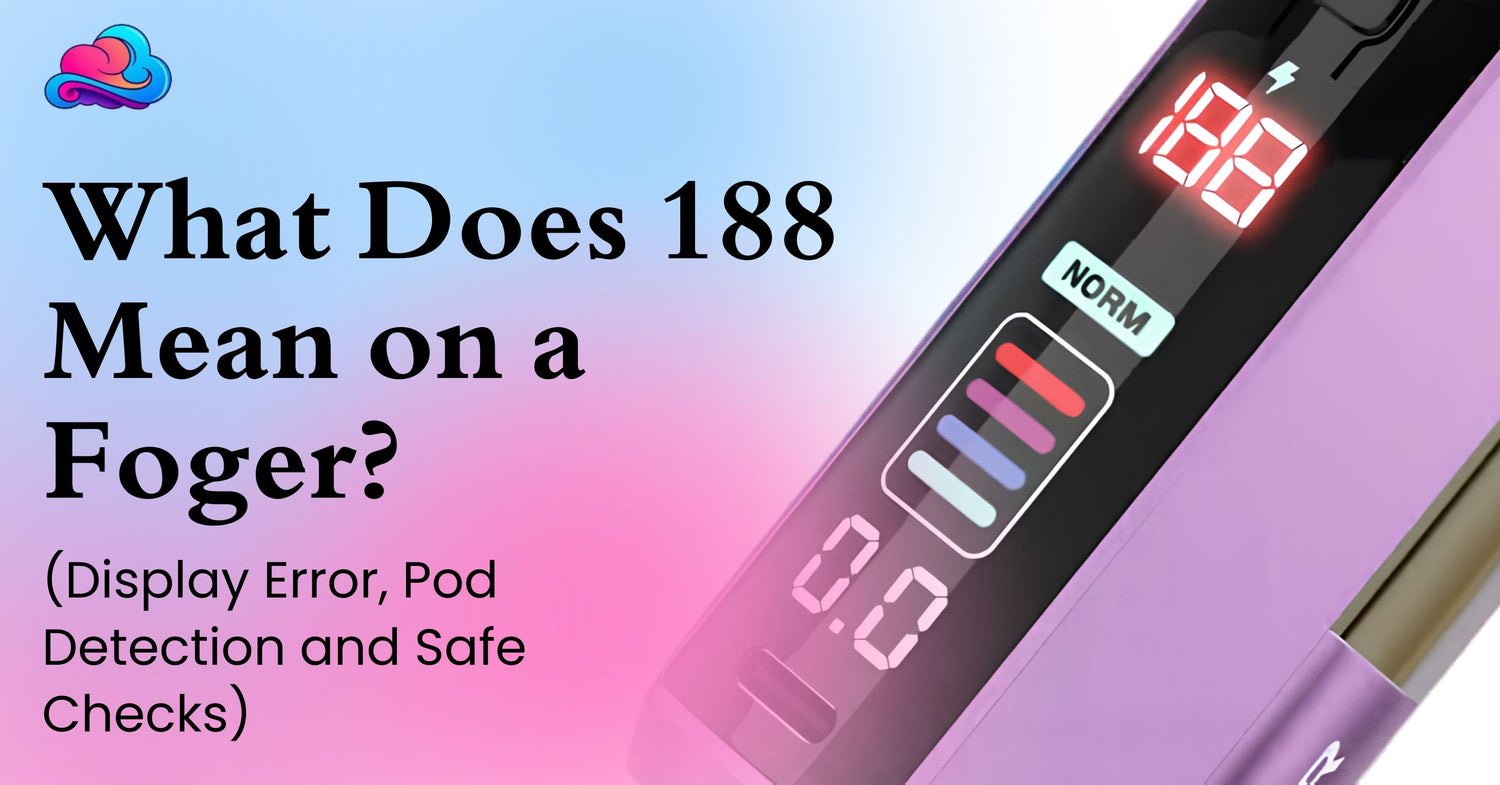
Seeing 188 appear on the screen can be frustrating, especially when the pod still contains liquid and the device worked normally earlier. The safest answer to what does 188 mean on a foger is that the number is commonly connected with the Switch Pro pod and battery dock not communicating normally. The current Foger Switch Pro replacement pods connect magnetically to the reusable power section, so pod seating and the visible electrical contacts matter. FOGER’s official product pages confirm the modular pod and dock design, but they do not publish a public 188 error table.
That distinction is important. Several current troubleshooting sources describe the Foger 188 error as a pod recognition or contact problem, while other pages give different explanations. Because the public guidance is not fully consistent, it is better to treat Foger screen 188 as a connection or pod detection symptom and work through safe outside checks instead of assuming 1 undocumented meaning.
The pod and battery should stay closed during this process. Do not hit the device, pry the pod apart, expose wires, or pour cleaner into the contact area. The supplied Foger pod page lists 5% nicotine salt, and nicotine is addictive. Stop troubleshooting after swelling, smoke, strong heat, cracks, or heavy liquid leakage.
Direct Answer for the 188 Display
The most practical answer to what does 188 mean on a foger is that it often appears when the Switch Pro is having trouble recognizing or communicating with its attached pod. Current Foger focused troubleshooting pages most often point toward pod seating, dirty contacts, pod condition, or a weak connection between the 2 sections.
This should not be described as a confirmed manufacturer definition because the current official FOGER product page explains the magnetic pod system, battery setup, display, and charging design without publishing a definition for 188.
For that reason, treat the Foger display code as a reason to inspect the pod connection first. If the normal screen returns after reseating the pod, the problem may have been temporary. If the number remains after safe checks, the pod or dock may need seller review.
Is 188 a Charging Indicator or an Error?
Do not assume that 188 is a normal charging percentage. FOGER’s current Switch Pro information says the smart screen reports battery information and puff data, while the 200mAh pod receives charging support through the magnetic power section. The manufacturer page does not identify 188 as a normal battery reading.
Public troubleshooting information is mixed. Some pages call Foger screen 188 a pod recognition problem, while another retailer connects it with an empty pod or broader system fault. That disagreement is exactly why a careful article should not claim more certainty than the available documents support.
If 188 appears together with no vapor, start with the pod fit and visible contacts. If the battery level is also low, charge the dock through its intended USB C connection before continuing.
Can Reseating the Pod Clear the Display?
Yes. Reseating is a low risk first check when a Foger pod not detected problem appears. Remove the pod from the magnetic battery dock and inspect the outside connection area.
Place the pod back straight rather than twisting or forcing it. The magnets should bring the 2 pieces into their intended position. A slightly poor connection can stop the battery dock from communicating normally with the pod.
If the normal display returns, there is no reason to keep removing the pod. If the Foger 188 error comes back every time the same pod is connected, move to the dry contact check.
Should the Pod Contacts Be Cleaned?
Yes, but keep the cleaning dry and limited to visible outside surfaces. Remove the pod and use a clean, soft, dry cloth or dry cotton swab on the contact areas.
Do not pour water, alcohol, e liquid, or another cleaner into the dock. Do not scrape the contacts with a knife, pin, paper clip, or other metal tool.
A Foger pod not detected condition may tempt someone to press or bend the contacts. Avoid that. Damaging an electrical contact can turn a temporary connection issue into permanent hardware trouble.
Can Low Battery Power Affect the Check?
A low battery can make troubleshooting harder because the dock needs enough power to operate its display and support the pod. The official Switch Pro design uses an 850mAh power section together with the pod’s smaller 200mAh cell.
If the dock battery is low, give it a normal charge before treating the Foger Switch Pro error as a failed pod. Use the intended charging port and keep the device on a dry, hard surface.
Stop charging if the body becomes very hot, swollen, smoky, or damaged. Repeated charging cycles are not a repair method for a pod contact fault.
Can a Second Pod Identify the Problem?
A second compatible Switch Pro pod can be useful because it separates the pod from the dock without opening either part.
If Pod A repeatedly creates a Foger pod not detected condition but Pod B works normally on the same charged dock, Pod A becomes the stronger suspect. Keep the faulty pod closed and retain its packaging.
If several compatible pods show the same Foger display code on 1 charged dock, the battery dock or its visible contact system may need seller support. Do not dismantle the dock to inspect the electronics.
Can a Safe Reset Remove 188?
There is no public FOGER manufacturer instruction in the current product information for a dedicated user factory reset command. Because of that, reset Foger 188 should mean returning the device to a normal outside state, not using an undocumented button trick.
Detach the pod, allow the device to rest, charge the dock normally if its battery is low, then reconnect the pod. That is enough for a basic power and connection cycle.
Search results for reset Foger 188 can include advice about hitting the pod, opening its base, moving wires, or exchanging internal battery pieces. Those methods should be avoided. A nicotine pod containing a lithium battery is not suitable for that kind of home repair.
A Safe 188 Check in 7 Steps
Use this order when asking what does 188 mean on a foger:
-
Stop drawing from the device.
-
Check the pod and dock for heat, cracks, swelling, smoke, or heavy leaking.
-
Remove the pod from the magnetic dock.
-
Wipe only the visible contact surfaces with a soft dry cloth.
-
Reattach the pod straight and allow the magnets to seat it.
-
Charge the dock normally if its battery level is low.
-
Test another compatible Switch Pro pod if 188 remains.
This order keeps the troubleshooting outside the battery and liquid chamber. It also gives you a logical way to separate a temporary contact problem from a faulty pod or dock.
If the device becomes hot, smells strongly burnt, leaks heavily, or shows physical battery damage, stop. Clearing a screen number is not more important than a battery warning sign.
A Real Adult User Example
Consider an adult named Adam who asks what does 188 mean on a foger after his Switch Pro suddenly stops producing vapor. The transparent pod still appears to contain liquid, but the screen continues showing 188.
Adam removes the pod, checks that neither section is hot or damaged, wipes the visible contacts with a dry cloth, then seats the pod again. The Foger 188 error remains.
He attaches another compatible Switch Pro pod and the normal display returns. That result points more strongly toward the first pod. Adam keeps the faulty pod sealed and contacts the seller rather than opening its base.
Can Airflow Feel Like the Same Fault?
Yes. A blocked air path can create a no vapor result even when the display issue has another cause. Check the mouthpiece and visible airflow openings for packaging material, lint, or residue.
The RAZ battery, airflow, sensor and reset checks show the broader troubleshooting principle on another device family. No vapor can involve airflow, battery power, liquid, a sensor, or another hardware issue.
Do not use another brand’s reset sequence on Foger hardware. Device controls and display behavior are model specific.
Smart Displays Need Model Specific Meanings
A screen can report useful information without every brand using the same symbols. The Luna 50K specifications and charging guide covers another screen equipped device, while the Geek Bar Pulse X 25K uses its own display for battery, liquid, and mode information.
Those examples should not be used to decode a Foger Switch Pro error. A number only has a firm meaning when documentation for that exact hardware gives it one.
That is especially important with 188 because current public explanations are not fully consistent.
Flavor Cannot Diagnose a Display Fault
Taste and display behavior are different questions. The Cactus Jack RAZ flavor and cooling profile describes flavor characteristics on another brand, but stronger or weaker taste cannot identify a Foger electrical connection fault.
A burnt taste can come from low liquid, coil wear, heat, or another device problem. It does not tell you the meaning of a Foger display code.
If the device tastes burnt and also shows an unusual number, stop repeated draws. Troubleshooting should not require inhaling again and again.
Ingredient Questions Stay Separate From 188
The diacetyl in vape aerosol evidence guide deals with flavoring chemistry and laboratory evidence. Those questions are separate from pod detection and screen communication.
A display number cannot tell you whether a particular flavoring compound is present. Likewise, a flavor name or chemical claim cannot diagnose a pod contact problem.
Keeping those issues separate prevents a technical fault from being turned into an unsupported ingredient claim.
Other Brand Parts Should Not Be Used for Testing
The RAZ vape collection includes hardware designed for RAZ product families, not the Foger Switch Pro dock.
Do not attach unrelated pods, magnetic parts, wires, or batteries just because they appear to have a similar size. Matching magnets do not prove matching voltage, contacts, or control electronics.
When testing a Foger pod not detected problem, use only a compatible Foger Switch Pro pod intended for that system.
Restricted Places Are Not Troubleshooting Areas
If the display problem appears in a place that prohibits vaping, store the device safely and deal with it later. The hospital facility vaping rules guide explains that medical facilities commonly restrict indoor vaping and may apply wider property rules.
Do not repeatedly draw from a faulty device inside a restricted building just to test whether the Foger Switch Pro error has cleared.
A hardware problem does not override a property rule, and a questionable battery should not be repeatedly charged in a sensitive public setting.
Errors That Often Make the Problem Worse
The first error is calling 188 a fully confirmed factory code when FOGER’s public product information does not currently provide that definition. The most consistent current troubleshooting explanation points toward pod recognition, but the uncertainty should be stated.
The second error is striking the device. Online comments sometimes suggest hitting the pod or dock to restore contact. Impact can damage a lithium cell, liquid chamber, or internal connection.
Another error is adding cleaning liquid to the electrical contact area. The first cleaning step should stay dry.
The last error is trying to reset Foger 188 by opening the pod, moving wires, or removing battery parts. Stop at outside checks.
Better Practices for Switch Pro Owners
Keep the pod and magnetic connection surfaces dry. Seat a replacement pod straight and allow the magnets to align it instead of twisting it into place.
Store spare pods upright and away from strong heat. Do not use a pod with cracks, swelling, heavy leaking, or obvious damage near its base.
When the same pod repeatedly causes a Foger 188 error, keep its package and receipt. Seller support has a better chance of reviewing the problem when the pod has not been altered.
Connection With the Wider Foger Troubleshooting Strategy
The question what does 188 mean on a foger belongs inside a complete Foger Switch Pro troubleshooting guide. A wider pillar can cover pod recognition, charging, airflow, no vapor, display behavior, leaking, burnt taste, battery warnings, and replacement signs.
This article supports that wider guide by keeping 188 troubleshooting centered on pod seating, dry contacts, battery power, and comparison with another compatible pod.
It also sets a clear limit on reset Foger 188 advice. A reset should never mean opening a sealed pod or repairing a lithium battery at home.
General Electronic Vape Structure
Electronic cigarettes generally combine a power source, heating element, and liquid holding section. Some products place those parts inside 1 body, while modular systems split them between a removable pod and battery section.
For broad background near the end of this article, the electronic cigarette overview describes the basic battery, atomizer, and liquid structure. It is general background, not a Foger Switch Pro error manual.
The exact Foger hardware and seller support remain more relevant when an unusual screen number appears.
When Pod or Device Replacement Makes More Sense
Pod replacement makes sense when the same compatible pod repeatedly triggers 188 after reseating and dry cleaning, while another compatible pod works normally on the same charged dock.
Seller or device support becomes more appropriate when several compatible pods fail on the same dock. A persistent Foger Switch Pro error across several pods points beyond a 1 time seating problem.
Stop immediately when there is swelling, smoke, strong heat, serious physical damage, or heavy leaking. Do not continue charging or drawing just to make the display change.
Conclusion
The careful answer to what does 188 mean on a foger is that current troubleshooting information most often connects it with Switch Pro pod recognition or contact trouble. FOGER’s current public product pages confirm the magnetic pod and dock system but do not provide a public factory definition for 188.
Start with outside checks. Reseat the pod, clean only the visible contacts with a dry cloth, charge a low dock normally, and compare another compatible Switch Pro pod when one is available.
Do not hit the device, open the pod, move wires, or attempt battery repair. When 188 stays after these checks, pod replacement or seller support is the safer next step.
FAQs
Is 188 a Normal Charging Indicator?
It should not be assumed to be a normal charging reading. When it appears with no vapor, check pod seating, visible contacts, and dock power.
Can Reseating the Pod Clear 188?
Yes. A poor magnetic connection may clear after the pod is removed and seated straight again.
Should the Pod Contacts Be Cleaned?
Yes. Wipe only the visible surfaces with a soft dry cloth or dry cotton swab. Do not pour liquid into the dock.
Can Another Pod Confirm the Problem?
It can narrow the cause. If another compatible pod works on the same dock, the first pod becomes the stronger suspect.
Can a Reset Remove the Code?
A rest, normal charge, and pod reconnection may clear a temporary fault. FOGER’s current public product information does not give a dedicated factory reset command for 188.
Should a Pod Be Opened to Repair 188?
No. Do not open the sealed pod, alter wires, remove battery parts, or strike the device.
When Should the Pod Be Replaced?
Consider replacement when the same pod repeatedly shows 188 after dry contact checks while another compatible pod works normally.
When Should the Dock Be Reviewed?
Seller support is more suitable when several compatible pods fail on the same charged dock or when the dock shows heat, swelling, charging trouble, or physical damage.


Leave a comment
This site is protected by hCaptcha and the hCaptcha Privacy Policy and Terms of Service apply.