
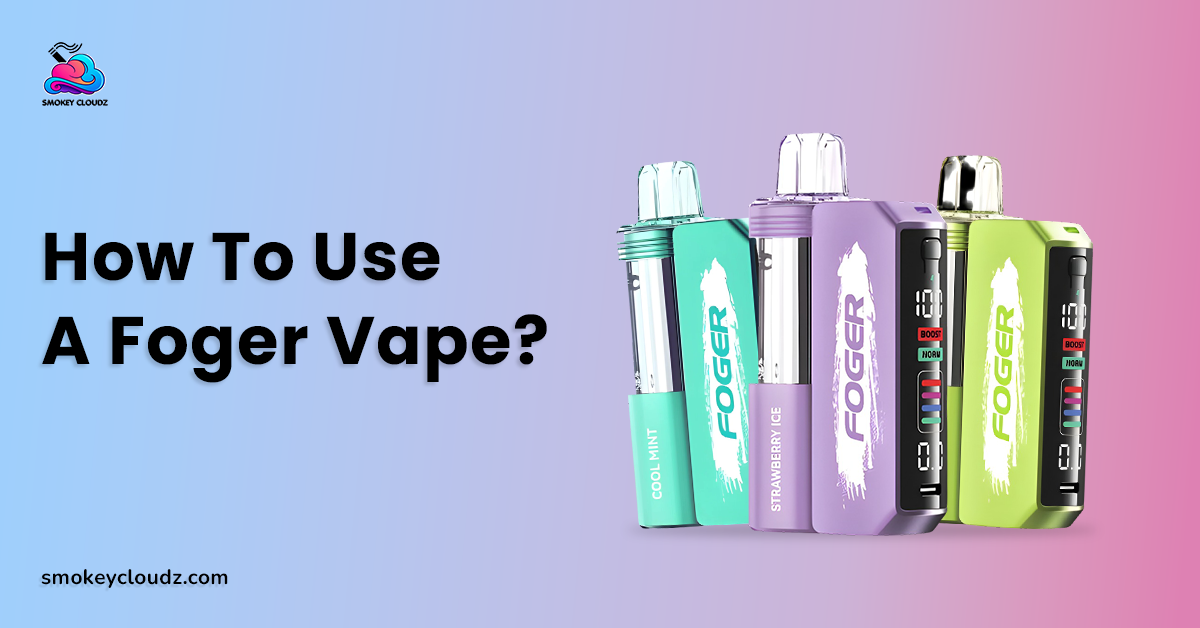
A Foger Switch Pro can feel inconsistent when the battery is low, airflow is blocked, or the pod is used too hard for too long. The safest way to get steady vapor is to use the controls the device already provides instead of trying risky adjustments. If you are checking How to Use a Foger Switch Pro Vape, start with the Foger Switch Pro 30K product details, then match your daily use to its battery, airflow, screen, and pod design.
The current Switch Pro uses a prefilled pod, rechargeable power, a display, adjustable airflow, and dual mesh heating. FOGER also lists Normal Mode at up to 30,000 puffs and Boost Mode at up to 18,000 puffs. These are rated maximums, not guaranteed personal totals. Nicotine is addictive, and stable vapor should never mean taking more puffs than you normally would.
Start With the Device Setup
The Switch Pro works through a pod and charging dock system. FOGER lists a 200mAh pod battery and an 850mAh magnetic charging dock, giving 1050mAh total listed battery capacity for the complete setup. The pod uses a 1.0 ohm dual mesh coil and the device includes adjustable airflow.
Before using the device, remove any packaging pieces that block the mouthpiece or airflow area. Make sure the pod is seated correctly with the dock and that no visible debris is sitting around the connection area. The device is draw activated, so normal inhalation starts the heating process without a separate fire button.
This first setup matters because weak contact, blocked airflow, or low power can make vapor feel uneven even when liquid is still present.
Can Airflow Change Vapor Production?
Yes. Adjustable airflow changes how tight or open the draw feels. A tighter setting gives more resistance, while a more open setting allows more air through the device.
For steady use, move the airflow control in small steps and stop at a position that feels comfortable. Do not cover the intake openings with your fingers during a draw. Blocking the air path can make the device feel weak or harder to pull.
There is no single airflow position that guarantees the best result for every adult. The practical goal is a stable draw without forcing suction or repeatedly changing the slider during every puff.
Can Normal Mode Support More Rated Use?
Yes. FOGER lists Normal Mode at up to 30,000 puffs and Boost Mode at up to 18,000 puffs. That means Normal Mode carries the higher published lifespan rating.
Boost Mode is the higher output setting in the Switch Pro system, while its lower published puff rating shows the tradeoff. If longer rated use and steadier day to day output matter more than stronger intensity, Normal Mode is the better published setting to start with.
This is an important part of How to Use a Foger Switch Pro Vape because mode selection affects both the feel of the draw and the rated total use of the pod.
A Stable Puff Routine
A steady draw is better than a hard pull. Take a normal controlled puff, then give the device a short pause before the next one. Repeated back to back draws can keep the coil hot and may make the flavor feel harsh or burnt.
Do not turn puff count into a daily target. The guide on 5,000 puff vape duration gives wider context on why advertised puff numbers can vary with draw length and daily use.
If vapor suddenly becomes weak, do not immediately take longer or harder pulls. Check battery level, airflow, liquid level, and pod seating first.
Battery Level Has a Direct Effect on Daily Use
The display is useful because it gives battery information without forcing you to guess. If battery power is low, charging the device can restore normal power delivery when the hardware is otherwise working correctly. FOGER lists a smart screen and rechargeable Type C power system on the current Switch Pro.
For broader battery care, the vape charging guide covers charging ports, cables, heat, and basic safety. Keep the charging area dry and place the device on a hard surface while charging.
Stop charging if the device becomes unusually hot, swollen, smoky, cracked, or heavily damaged. Charging should restore battery power only. It cannot restore used liquid or repair a worn coil.
Charging Time Should Not Be Guessed
A fixed charging time is not the best way to judge battery status. Cable condition, battery level, charging source, and device design can all change the time needed.
The vape pen charging time guide gives broader context on charging time differences. On the Switch Pro, the display and normal charge indication are more useful than relying only on a clock.
Do not leave the device connected longer just because you want stronger vapor. Once the battery is charged, extra time on the cable does not add more performance.
Nicotine Strength and Vapor Size Are Different
The Switch Pro is listed at 50mg/ml nicotine strength by FOGER. That number describes the liquid concentration and should not be confused with cloud size or puff strength.
The article on nicotine in one puff gives more context on why individual draws can vary. Draw length, device output, and use pattern can affect intake.
The key point is to avoid using stronger vapor as a reason to increase puff frequency. If you feel dizzy, sick, shaky, or otherwise unwell, stop using the device.
Burnt Taste Means the Routine Needs Attention
A lasting burnt taste is not normal stable performance. It can point to a heating or liquid problem and should not be ignored.
The burnt vape taste guide gives broader context on dry wicks, repeated puffs, heat, and worn coils. With a sealed prefilled Switch Pro pod, the response should stay outside the pod.
Stop repeated draws, let the device rest, check the visible liquid level, and return to Normal Mode if you were using stronger output. If the burnt taste remains, replace the pod rather than opening it.
A 9 Step Daily Use Process
Use this sequence for How to Use a Foger Switch Pro Vape with steady day to day performance:
-
Check the pod and dock for cracks, swelling, heavy leaks, or strong heat.
-
Confirm that the pod is seated correctly.
-
Check battery and liquid information on the display.
-
Set airflow to a comfortable position.
-
Start in Normal Mode when longer rated use matters.
-
Take a normal controlled puff instead of a hard pull.
-
Pause briefly between draws.
-
Charge when battery power is low.
-
Replace the pod after its liquid or coil reaches the end.
This routine keeps attention on the parts the user can safely control. It avoids opening the pod, moving battery parts, or trying to alter the internal coil.
A Real Adult Use Example
Consider an adult named Ryan who notices that his Switch Pro starts producing weaker vapor late in the afternoon. His first reaction is to take longer draws, but that makes the flavor feel hotter.
Ryan checks the screen and sees low battery power. He also notices that the airflow slider was partly covered by the way he was holding the device. He charges the battery normally, keeps the airflow area clear, and returns to controlled draws.
The vapor returns to its usual feel without any internal repair. This example shows that How to Use a Foger Switch Pro Vape is mostly about checking power, airflow, mode, and pod condition before assuming the device has failed.
Puff Count Should Stay an Estimate
The Switch Pro carries a high rated puff total, but no adult should expect the exact same calendar life from every pod. Daily puff frequency, draw duration, selected mode, battery care, and coil condition all matter. FOGER itself publishes different totals for Normal and Boost modes.
The RAZ puff count guide gives another brand example of the same planning principle. Puff numbers are better treated as estimated capacity than as a guaranteed count.
A person using Boost Mode often may finish a pod sooner than someone using Normal Mode with shorter draws. That difference does not automatically mean either device is faulty.
Errors That Often Reduce Stable Performance
The first error is taking harder pulls when vapor becomes weak. Low battery, blocked airflow, or low liquid should be checked before increasing draw force.
The second error is using Boost Mode all the time while expecting the 30K Normal Mode rating. FOGER publishes a lower 18K rating for Boost Mode.
Another issue is repeated use with almost no pause between draws. This can keep the heating area working continuously and make the experience harsher. The last major error is opening a sealed pod or battery section to repair performance. Internal changes can create leaks, electrical damage, or battery risk.
Better Practices for Daily Performance
Keep the mouthpiece and visible airflow openings clear. Store the device away from strong heat and water. Keep the pod seated normally and wipe outside residue with a dry soft cloth when needed.
Use the display before assuming the device is empty or damaged. A low battery and a low liquid level can create very different next steps.
Better performance comes from working within the device design. Do not add liquid to a sealed pod, scrape contacts with metal tools, or alter battery wiring.
Device Construction Gives Useful Background
Electronic cigarettes generally use a battery, heating element, liquid section, and airflow or activation system. The supplied electronic cigarette construction overview gives broad background on these parts.
That general structure helps explain why battery power, airflow, coil condition, and liquid supply can all affect vapor production. It does not replace model specific FOGER instructions.
The Switch Pro should be used according to its own pod, dock, airflow, screen, and charging setup.
Connection With the Wider Foger Strategy
The topic How to Use a Foger Switch Pro Vape belongs inside a complete Foger Switch Pro use and performance guide. A wider pillar can cover setup, charging, airflow, Normal and Boost modes, liquid tracking, pod replacement, burnt taste, leaking, screen warnings, and daily care.
This article supports that wider guide by giving adults a repeatable use routine instead of relying on random adjustments when vapor changes.
The wider strategy should keep performance, nicotine use, battery safety, and end of pod signs separate. That makes troubleshooting easier and reduces unnecessary handling.
When Store Support Makes More Sense
Contact the retailer when the product arrives open, cracked, heavily leaking, unable to charge, or different from the ordered item. Keep the package, order details, and clear photos.
Support also makes sense when the screen stops working, several compatible pods fail on the same dock, or the charging connection becomes loose.
Do not dismantle the pod or dock before seeking support. Internal repair is not part of normal use.
Conclusion
The safest answer to How to Use a Foger Switch Pro Vape is to keep the setup normal and let the built in controls guide daily use. Check battery and liquid status, keep airflow clear, use a comfortable airflow setting, start with Normal Mode for the higher rated lifespan, and take controlled draws with short pauses.
Charge through the intended setup when power is low. Stop if the hardware becomes unusually hot, swollen, smoky, cracked, or heavily leaking. Replace a finished or persistently burnt pod instead of opening it.
Stable vapor comes from battery power, airflow, liquid supply, coil condition, and a consistent draw routine working together. Stronger pulls and risky internal changes are not the answer.
FAQs
Can Normal Mode Give More Rated Puffs?
Yes. FOGER lists Normal Mode up to 30,000 puffs and Boost Mode up to 18,000 puffs.
Can Airflow Affect Vapor Feel?
Yes. The adjustable airflow slider changes draw resistance and can affect how open or tight the inhale feels.
Should Hard Pulls Be Used for Weak Vapor?
No. Check battery level, airflow, liquid level, and pod seating before changing draw force.
Can the Switch Pro Be Recharged?
Yes. The current Switch Pro uses rechargeable power and Type C charging.
Can Charging Fix a Burnt Pod?
No. Charging restores battery power. It cannot repair a worn coil or replace used liquid.
Should the Pod Be Opened for Better Performance?
No. Keep the prefilled pod sealed and replace it when its liquid or coil has reached the end.
Can Puff Count Vary Between Adults?
Yes. Draw length, daily use, mode, battery condition, and coil condition can change real use.
When Should Use Stop Immediately?
Stop after swelling, smoke, unusual heat, major leaking, cracks, or other serious physical damage.

Leave a comment
This site is protected by hCaptcha and the hCaptcha Privacy Policy and Terms of Service apply.