
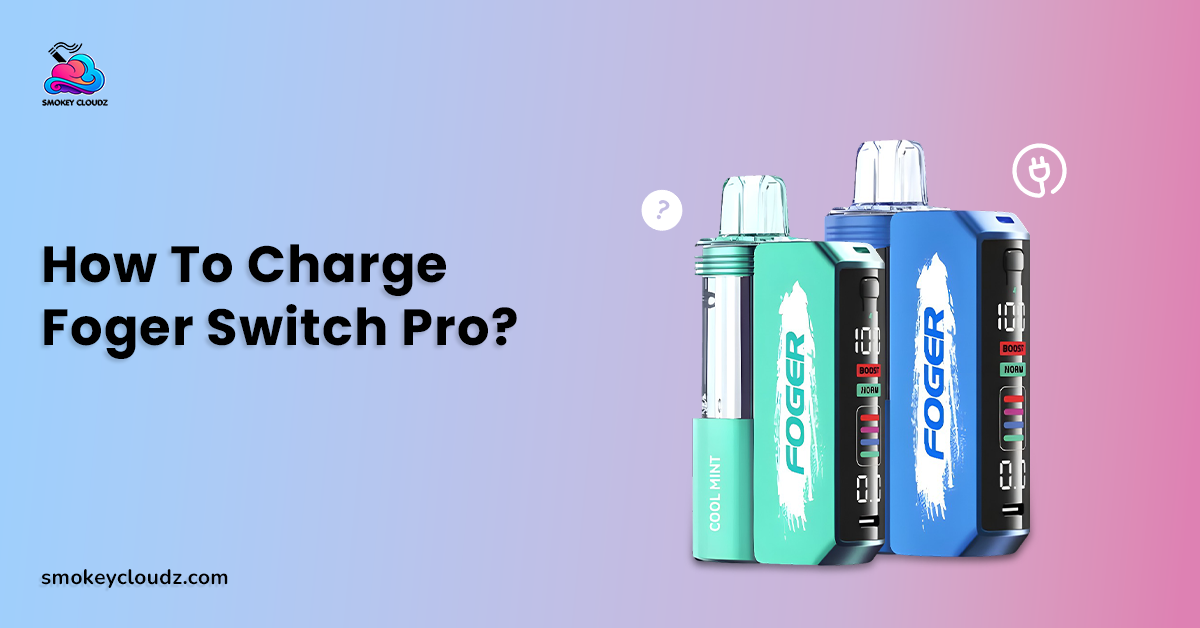
Charging problems are annoying when a device still has liquid but the battery will not keep up with normal use. The Foger Switch Pro uses a different power layout from many sealed disposables, so the charging path matters. If you are checking how to charge foger switch pro, begin with the current Foger Switch Pro 30K setup and treat the pod and magnetic charging dock as 2 connected parts.
FOGER currently describes the Switch Pro kit as a 200mAh disposable pod paired with an 850mAh magnetic charging dock, giving 1050mAh total listed battery capacity. The dock uses Type C charging, and the manufacturer lists overcharge protection. The separate pod also needs a compatible Switch Pro charging device when its 200mAh battery needs power again.
The old idea that every Switch Pro takes a fixed number of minutes to reach full charge is too exact. FOGER does not publish a standard full charge time on the current product pages reviewed for this guide. Cable condition, starting battery level, the power source, and the exact charging device can all affect the result.
Charging Equipment That Actually Matters
You need the Switch Pro pod, its compatible magnetic charging dock, an intact USB Type C cable, and a suitable USB power source. The supplied Smokey Cloudz product page states that the box does not include a Type C cable and says a standard USB Type C cable can be used.
The pod should sit correctly against the compatible dock so the magnetic contact points meet normally. Keep the port and contact area dry. A damaged cable, loose plug, or dirty connection can interrupt charging even when the battery itself is still usable.
There is another detail worth checking on newer hardware. FOGER currently also lists a separate 1200mAh Switch Pro charging device, while the complete Switch Pro kit page describes an 850mAh dock. This is another reason not to estimate charging time from capacity alone. Check the exact dock or kit you own.
A Safe Charging Process From Start to Finish
The safest answer to how to charge foger switch pro is to keep the process controlled and easy to watch. Check the hardware before connecting power, then confirm that the normal battery information responds after the cable and dock are connected.
-
Inspect the pod, dock, cable, and Type C port for visible damage.
-
Wipe dry dust or residue from the outside contact area if needed.
-
Seat the Switch Pro pod correctly on the magnetic dock.
-
Connect an intact USB Type C cable to the dock.
-
Connect the cable to an appropriate USB power source.
-
Keep the device on a clean, flat surface while it charges.
-
Watch the normal battery information on the display.
-
Disconnect power after charging is complete.
-
Stop immediately if you notice swelling, smoke, strong heat, cracks, or other serious damage.
The broader vape charging guide gives more battery care context. FDA battery guidance also recommends charging a vape on a clean, flat surface away from material that can catch fire and keeping the device visible while charging.
Can the Pod Charge Without the Switch Pro Dock?
The current FOGER pod page says Switch Pro disposable pods require a Switch Pro charging device to recharge. That makes compatible Switch Pro charging hardware part of the normal power path for the small 200mAh pod.
Do not connect wires directly to the pod, push metal into its contacts, or try to adapt another brand's battery system. Those methods bypass the intended hardware and can damage electrical parts.
If you own only a replacement pod without compatible charging hardware, use the correct Switch Pro charging device rather than improvising an electrical connection.
Is an Exact Full Charge Time Published?
No fixed full charge time appears on the current FOGER Switch Pro product pages reviewed here. That means claims such as 15 to 25 minutes for the pod or 45 to 60 minutes for the full setup should not be presented as guaranteed charging times.
The vape pen charging time guide gives broader context on factors that can change charge duration. Starting battery level, cable condition, battery capacity, and power delivery all matter.
For the Switch Pro, use the device's normal battery information instead of relying on a timer. If charging takes unusually long or repeatedly stops, inspect the cable, port, contacts, and physical condition before trying again.
Can a Standard Type C Cable Be Used?
The supplied Smokey Cloudz listing says the Switch Pro does not come with a Type C cable and that a standard USB Type C cable can be used with the charging setup.
Use a cable that fits normally and has no exposed wire, bent plug, or severe damage. Do not force a connector that does not enter the port correctly.
The current FOGER kit page lists Type C charging but does not publish a user facing wattage target. There is no need to invent a special high power charger requirement. Follow the instructions supplied with the exact device.
Safe Charging Surface and Temperature Matter
Vape batteries should be charged where the device can be seen, on a clean and flat surface away from material that can easily catch fire. FDA battery guidance also warns against charging on a couch or pillow and against exposing vape batteries to extreme temperatures.
That means a bed, sofa cushion, hot dashboard, or direct summer sunlight is a poor charging location. A firm, dry area is a better place because heat is easier to notice and the device is less likely to become covered.
FOGER lists overcharge protection on its Switch Pro charging hardware, but protection circuitry is not a reason to leave any battery device connected and unattended for long periods.
Can Charging Overnight Extend Battery Life?
No. Leaving the device connected overnight is not a battery care method. FDA guidance recommends against leaving vape batteries charging unattended, and extra time connected after a normal full charge does not create extra battery capacity.
When the normal battery information indicates charging is complete, disconnect the cable. Do not repeatedly reconnect the device in an attempt to push it past its normal full state.
For how to charge foger switch pro, think in terms of normal charging sessions rather than maximum time connected to a power source.
Contact Areas Should Stay Dry
The magnetic connection depends on normal contact between the pod and charging device. If liquid or pocket debris sits around the outside contact area, charging can become unreliable.
Use a dry soft cloth or dry cotton swab on visible outside surfaces. The vape tank cleaning guide covers cleaning for other hardware types, but a sealed Switch Pro pod should not be opened and washed like a refillable tank.
Do not pour water or cleaner into the dock or charging port. If liquid has entered the electrical area or the pod is heavily leaking, stop charging until the problem is dealt with.
Leaking Needs Attention Before Charging
A small amount of outside condensation and a heavy leak are not the same. If liquid is running into the connection or charging area, disconnect the device and stop using it until the condition is checked.
The vape leaking guide gives broader context on leak causes and warning signs. With the Switch Pro, keep charging contacts dry and do not keep reconnecting a pod that is actively leaking onto electrical parts.
A cracked pod, damaged seal, or liquid around the charging connection can turn a charging problem into a larger hardware problem. Replacement or retailer support is a better route than repeated testing.
Coil End and Low Battery Are Different Problems
A low battery can often be restored by normal charging. A worn coil cannot. This difference matters because weak vapor may make an adult think the battery needs another charge when the pod itself is close to its end.
The vape coil lifespan guide gives wider context on lasting burnt taste, reduced vapor, and flavor decline. Charging will not replace liquid or rebuild a worn heating element.
If the battery reads normally after charging but the pod has a lasting burnt taste or very poor output, stop treating the problem as a charging issue.
A Real Adult Charging Example
Consider an adult named Ryan who connects his Switch Pro and sees that the battery level is not changing. He first assumes the charging dock has failed.
Ryan disconnects the cable, checks the port, and notices lint around the outer connection. He wipes the area dry, reseats the pod, reconnects an intact Type C cable, and places the device on a flat desk where he can watch it.
The battery information begins responding normally. In this case, how to charge foger switch pro was not about buying a stronger charger. It was about getting the intended connection clean, dry, aligned, and powered normally.
Battery Life Depends on More Than Charging
Charging habits can reduce avoidable stress, but no routine can guarantee a specific battery lifespan. Heat, physical damage, charging frequency, device age, and normal battery wear can all matter.
Keep the Switch Pro away from extreme heat and avoid leaving it in a hot vehicle. Do not crush, puncture, bend, or open the charging dock. FDA advises protecting vape batteries from extreme temperatures and following the manufacturer's care instructions.
The goal is to protect the existing battery system rather than force more capacity from it. Rechargeable batteries have a limited service life even when treated carefully.
Health Questions Should Stay Separate From Battery Care
Safe charging reduces battery related risk, but it does not make nicotine vaping harmless. The Switch Pro is a nicotine product, and nicotine is addictive.
The article on vaping and cancer risk covers a separate health question. Charging technique cannot remove health risks connected with inhaling vape aerosol.
This distinction matters because battery safety and health risk are different issues. A device can charge normally and still remain a nicotine vape product.
A 7 Point Battery Care Routine
Use these habits after you understand how to charge foger switch pro:
-
Check the cable and port before charging.
-
Keep the dock and pod contacts dry.
-
Charge on a clean, flat, visible surface.
-
Keep the battery away from extreme heat.
-
Disconnect after the normal charge is complete.
-
Stop using damaged, swollen, smoky, or unusually hot hardware.
-
Keep the sealed pod and battery body closed.
These habits can reduce avoidable charging problems without promising that the battery will last a fixed number of months or charging cycles.
A battery that repeatedly loses power very quickly after normal charging may be reaching the end of its useful condition or may have another hardware problem. Continuing to force charging cycles is not a repair.
Errors That Often Cause Charging Problems
The first error is relying on a fixed timer instead of the device's own battery information. FOGER does not publish the old 15 to 25 minute and 45 to 60 minute figures as standard Switch Pro charging times.
The second error is assuming a more powerful charger must be better. The current FOGER pages state Type C charging but do not give a special user facing high wattage requirement.
Another error is charging on a bed or sofa and leaving the device unattended. A final issue is using a wet, cracked, heavily leaking, swollen, or unusually hot device because the screen still turns on.
Better Practices for Longer Battery Service
Use the intended Switch Pro charging hardware and an intact Type C cable. Keep electrical contact areas dry and avoid extreme temperatures.
Do not leave the battery connected simply because you are worried it may run low later. Charge when needed, watch the normal battery status, and disconnect after completion.
If the device starts needing much more frequent charging, first separate battery behavior from pod and coil condition. A battery problem and an empty or worn pod need different responses.
Connection With the Wider Foger Care Strategy
The topic how to charge foger switch pro belongs inside a complete Foger Switch Pro charging and battery guide. A wider pillar can cover the magnetic dock, pod battery, Type C connection, screen indicators, charging trouble, contact care, heat, storage, battery decline, and replacement signs.
This article supports that wider guide by giving the charging process a clear order. Inspect first, connect the correct parts, charge in a safe location, watch battery status, and stop when something looks abnormal.
That same structure can keep adults from mixing charging issues with coil wear, leaking, low liquid, or general health questions.
Lithium Battery Background
The supplied lithium ion battery overview gives broad background on rechargeable lithium battery construction, charging, aging, and heat related concerns. It works as general context rather than a model specific FOGER instruction page.
For the Switch Pro itself, the manufacturer lists Type C rechargeability and overcharge protection. Battery protection features reduce some electrical risks, but they do not make damaged hardware suitable for continued charging.
Always give the actual condition of the device more weight than a general battery article. Swelling, smoke, extreme heat, or serious damage are reasons to stop.
When Retailer or Manufacturer Support Makes More Sense
Contact the retailer when the device arrives damaged, the dock does not accept a normal cable, charging repeatedly cuts out, or the pod will not charge through compatible Switch Pro hardware.
Keep the order record, package, and clear photos of the port and screen. This can make it easier to separate a cable issue from a dock or pod problem.
Do not open the battery body to inspect cells or wiring. If outside checks do not solve the problem, support or replacement is safer than internal battery work.
Conclusion
The safest answer to how to charge foger switch pro is to use compatible Switch Pro charging hardware, an intact Type C cable, a suitable USB power source, and a clean, flat charging area. The standard kit currently described by FOGER uses a 200mAh pod with an 850mAh magnetic dock, while the manufacturer also lists a separate newer 1200mAh charging device.
Do not rely on the old fixed charge time claims because FOGER does not publish those standard times on the current pages reviewed here. Watch the normal battery information instead.
Keep contacts dry, avoid extreme temperatures, disconnect after normal charging is complete, and stop using hardware that is swollen, smoky, cracked, heavily leaking, or unusually hot. Those habits can reduce avoidable battery stress, but no charging routine can guarantee a fixed battery lifespan.
FAQs
Is a Type C Cable Used for the Switch Pro?
Yes. Current FOGER Switch Pro hardware lists Type C charging, and the supplied Smokey Cloudz page says a standard USB Type C cable can be used.
Is an Official FOGER Cable Required?
The supplied Smokey Cloudz product page states that a charging cable is not included and says a standard USB Type C cable can be used.
Can the 200mAh Pod Recharge by Itself?
The current FOGER pod page says the Switch Pro pod requires a compatible Switch Pro charging device for recharging.
Is a 45 to 60 Minute Full Charge Guaranteed?
No. FOGER does not publish that fixed time on the current Switch Pro product pages reviewed here.
Should the Device Charge Overnight?
No. FDA vape battery guidance recommends against leaving the device charging unattended.
Can a Leaking Pod Be Charged Normally?
Do not charge when liquid is entering the electrical contact or charging area. Stop and deal with the leak or damaged pod first.
Can Charging Repair a Burnt Coil?
No. Charging restores battery power. It cannot repair a worn coil or replace used liquid.
Can Overcharge Protection Replace Safe Charging Habits?
No. FOGER lists overcharge protection, but normal monitoring and safe charging conditions still matter.
When Should Charging Stop Immediately?
Stop if you notice swelling, smoke, unusual heat, major physical damage, or heavy liquid around electrical areas.

Leave a comment
This site is protected by hCaptcha and the hCaptcha Privacy Policy and Terms of Service apply.