
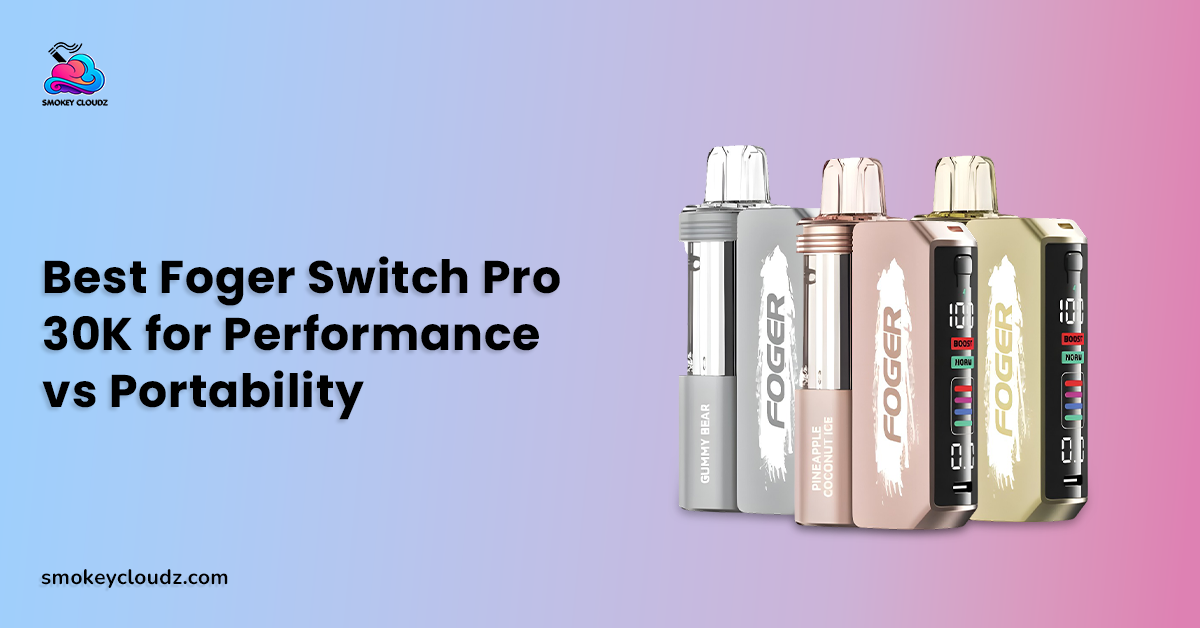
Seeing foger vape blinking 188 on the screen can be frustrating when the pod still looks full or the device was working normally a short time ago. The current Foger Switch Pro 30K product page shows that the system uses a separate pod and magnetic charging dock, along with a smart display, rechargeable power, adjustable airflow, and dual mesh heating. FOGER’s own product page explains that modular structure, but it does not publish a public list that defines 188 as an official error code.
Current troubleshooting sources are much more consistent about the practical meaning. They connect 188 with a communication or contact problem between the pod and dock, often involving seating, dirty contacts, pod condition, or damaged contact points. That makes outside connection checks the safest first response.
Do not hit the pod, pry open the battery area, short electrical parts, move wires, or open a sealed liquid section. Stop using the device if it becomes swollen, smoky, cracked, heavily leaking, or unusually hot. Nicotine is addictive, and a screen problem is never a reason to keep drawing from hardware that looks damaged.
Direct Answer for the 188 Screen
When foger vape blinking 188 appears, start by treating it as a pod and dock communication problem rather than a confirmed charging percentage or puff count. Current Switch Pro troubleshooting guidance says the dock may be unable to read the pod when the contacts are dirty, the pod is not seated correctly, or the pod itself has a fault.
FOGER’s current hardware information supports the connection based explanation because the Switch Pro is built from a small pod and a separate 850mAh magnetic charging dock. The company also lists a smart screen, Type C charging, and a total 1050mAh battery system.
The safest response is therefore to inspect the outside condition, remove and reseat the pod, wipe visible contacts dry, check battery status, and test another compatible pod if one is available. If the same 188 reading stays across compatible pods, the dock may need retailer support.
Can Pod Seating Cause the 188 Reading?
Yes, poor seating is one of the first things worth checking. The pod and dock depend on a physical magnetic connection, so a pod sitting crooked or slightly away from the contact area can interrupt communication. Current troubleshooting guidance specifically recommends removing the pod and placing it back straight.
Pull the pod away from the dock without twisting or forcing it. Look at the outside connection area for dust, sticky liquid, or obvious physical damage. Then place the pod back in its normal position and allow the magnetic connection to seat it.
If the normal screen returns, there is no need to keep removing the pod. Repeatedly snapping parts together without a reason can add wear to the connection area over time.
Can Dry Contact Cleaning Clear the Error?
It can. Visible residue or lint on the contact surfaces can interrupt the signal between the pod and dock. Current troubleshooting sources recommend wiping the contact points with a dry cloth or dry cotton swab before reseating the pod.
Keep this cleaning limited to outside surfaces. Do not pour water, e liquid, cleaner, or another fluid into the dock. Do not scrape contact points with a knife, pin, screwdriver, or other metal object.
If residue keeps returning because the pod is leaking, cleaning alone is not the full answer. Heavy or repeated leaking is a reason to stop use and replace the affected pod or contact the seller.
Battery Status Can Matter Too
A low battery can make troubleshooting confusing because the display, pod, and charging system all rely on available power. FOGER currently lists a 200mAh pod together with an 850mAh magnetic charging dock in the Switch Pro system.
Use the normal battery indicator rather than guessing from the 188 number itself. The general vape charging safety guide is useful for dry port care, normal charging behavior, and signs that mean charging should stop.
The vape charging time guide also gives broader context on why charge time varies between devices. Do not keep the Switch Pro connected for repeated extra charging cycles just to force the screen to change.
A Safe 7 Step Check
Use this order when foger vape blinking 188 appears:
-
Stop drawing from the device.
-
Check for swelling, smoke, cracks, strong heat, or heavy leaking.
-
Remove the pod from the magnetic dock.
-
Wipe only the visible contact areas with a clean dry cloth.
-
Reattach the pod straight and check the screen.
-
Charge through the intended Switch Pro setup if the battery is low and the hardware is undamaged.
-
Test another compatible pod if the 188 reading remains.
This sequence stays outside the battery and sealed liquid chamber. It also separates a temporary contact issue from a pod fault or a dock problem without risky internal repair.
If the device is physically damaged, skip further testing. Seller support or replacement is the better path.
Can Another Pod Isolate the Problem?
Yes. A second compatible pod can be a useful comparison because it changes 1 part of the system while leaving the same dock in place. Current troubleshooting guidance recommends trying another pod when cleaning and reseating do not clear 188.
If Pod A keeps showing 188 but Pod B works normally, Pod A becomes the stronger suspect. If several compatible pods show the same reading on the same charged dock, the dock connection or hardware becomes more likely.
Keep failed pods sealed. Opening the bottom of a pod to move parts from another pod may appear in user forums, but that crosses into internal electrical work and can damage the battery or sealed liquid system.
Burnt Taste Is a Different Problem
A burnt taste should not automatically be treated as the 188 issue. It may point toward coil condition, low liquid, overheating, or repeated draws that do not give the wick enough recovery time.
The burnt vape warning guide covers that separate symptom, while the vape coil lifespan guide gives more context on coil wear and lasting taste changes.
If a pod gives a lasting burnt taste after normal rest, replacing the pod makes more sense than repeatedly reseating it. Charging cannot restore a worn coil.
Heat Should Be Treated as a Warning Sign
Warm hardware after use is different from a device becoming unusually hot. If the pod or dock feels much hotter than normal, stop drawing and disconnect it from charging.
The ball vape heat up guide deals with a very different heated device category, which is useful mainly as a reminder that heat behavior depends on the exact hardware. Ball vape heat timing should not be applied to a Foger Switch Pro.
For the Switch Pro, the 188 check should stay focused on its own pod, dock, contacts, battery status, and physical condition. Do not use heat as a troubleshooting tool.
Daily Care Can Reduce Repeat Connection Trouble
Outside care can reduce the chance of dust or residue building up around the pod and dock connection. Keep the device away from strong heat, moisture, and loose pocket debris, and wipe the outer contact area when residue becomes visible.
The Foger lifespan care guide gives broader care context for charging, storage, puff habits, and pod replacement. The goal is to protect normal operation, not force a finished pod to keep working.
Regular care also makes troubleshooting easier. When the contacts are already dry and clean, a repeat 188 reading gives you a stronger reason to test another compatible pod or review the dock.
Off Stamp Charging Steps Should Not Be Copied to Foger
Different modular vape systems can use different power layouts. The Off Stamp charging guide is relevant to Off Stamp hardware, but its steps should not be treated as Switch Pro instructions.
Use only the charging method intended for the Foger system. FOGER lists Type C charging and an 850mAh magnetic dock that works with the 200mAh pod.
Cross brand parts, improvised cables, or internal battery changes are not safe shortcuts for a screen communication problem.
Refilling Is Not a Fix for 188
The 188 reading is not a signal telling you to open the pod and add liquid. Switch Pro pods are prefilled parts that work with the magnetic charging dock, and FOGER describes replacing the pod after its flavor supply ends.
The disposable vape refill article covers a broader topic, but a sealed Foger pod should not be opened as a troubleshooting step.
Opening the pod can damage seals, create leaks, expose electrical parts, or make the original connection problem harder to diagnose.
A Real Adult Use Example
Consider an adult named Adam who sees foger vape blinking 188 after taking the device out of a pocket. The pod still contains liquid, the dock is not hot, and there is no visible crack.
Adam removes the pod and notices a small amount of residue around the outside contact area. He wipes it with a dry cloth, seats the pod straight, and checks the display again. The normal information returns.
If the code had remained, his next safe step would be another compatible pod or retailer support. He would not hit the device or open its battery area.
Vape Detectors Are Not Related to the 188 Code
A screen communication issue inside a Foger is separate from building vape detection systems. The vape detector guide covers sensors that may respond to airborne conditions in schools, workplaces, or other buildings.
A detector cannot diagnose a pod and dock connection. In the same way, a 188 screen reading does not tell you anything about whether aerosol has been noticed by a building sensor.
Keeping those topics separate prevents a hardware code from being mistaken for an environmental warning.
Aerosol Remaining in the Air Is Another Separate Issue
The vape aerosol in air guide deals with the time airborne material can remain after vaping. That question is separate from the Switch Pro connection between its pod and dock.
If the 188 reading appears, repeatedly drawing just to test it can create unnecessary aerosol without giving a clearer diagnosis. One careful screen check after reseating is enough.
When the error stays, move to pod comparison or support rather than taking repeated test puffs.
Errors That Often Make 188 Worse
The first error is hitting or dropping the device on purpose. Online discussions sometimes suggest impact as a way to move internal parts, but striking lithium battery hardware can create physical damage.
The second error is opening the pod or battery area. Another is pushing metal objects into the contacts. These actions can create a short, damage pins, or interfere with the sealed liquid section.
The last error is assuming every 188 reading has the same cause. Current troubleshooting sources point mainly toward pod communication and connection problems, but damaged hardware can also leave the same symptom.
Better Practices for Repeated 188 Problems
If foger vape blinking 188 returns often, start documenting when it appears. Note whether it happens with 1 pod or several compatible pods, whether the dock is charged, and whether liquid or debris is present around the connection.
A pattern limited to 1 pod points more strongly toward that pod. A pattern across several pods on the same dock points more strongly toward the dock or its contacts.
Do not keep buying pods only to test a clearly damaged dock. If the contact area looks bent, pushed in, cracked, or otherwise damaged, retailer support is the more sensible next step. Current troubleshooting guidance also recommends replacement or support when 188 persists after cleaning and pod comparison.
Connection With the Wider Foger Troubleshooting Strategy
The topic foger vape blinking 188 belongs inside a complete Foger Switch Pro troubleshooting guide. A wider pillar can cover charging, pod recognition, airflow, burnt taste, leaking, coil condition, blank screens, battery warnings, and replacement signs.
This article supports that wider guide by keeping the 188 process narrow and safe. Start with the connection, then battery status, then another compatible pod, and stop before internal repair.
That structure also keeps unrelated problems from being mixed together. Burnt taste, airborne aerosol, building detectors, and other vape hardware each need their own checks.
General Device Construction Gives Useful Context
Electronic cigarettes can place batteries, heating elements, liquid reservoirs, sensors, and control electronics in different arrangements. The supplied electronic cigarette construction overview gives broad background on those parts.
That general structure explains why a connection problem can stop a device even when liquid is still present. It does not provide a Foger specific 188 definition.
For the Switch Pro, current FOGER hardware information and model specific troubleshooting remain more relevant than general vape construction.
When Store Support Makes More Sense
Contact the retailer when the pod or dock arrives damaged, 188 appears across several compatible pods, the contact area looks physically damaged, the dock will not charge, or heavy leaking reaches the connection area.
Keep the package, order record, flavor name, and clear photos of the screen and outer hardware. That makes it easier to separate a pod issue from a dock issue.
Do not dismantle the product before seeking support. Internal changes can make the original fault harder to review and can create additional battery risk.
Conclusion
When foger vape blinking 188 appears, the safest practical interpretation is a problem with communication between the Switch Pro pod and dock. FOGER publicly documents the modular magnetic system but does not publish a public 188 error table, while current troubleshooting sources consistently connect the code with pod recognition or contact trouble.
Start with outside checks. Inspect the device, reseat the pod, wipe visible contacts dry, check battery status, and test another compatible pod if the reading stays.
Do not hit the device, open the pod, move wires, short electrical parts, or refill the sealed pod as a repair method. Persistent 188 across several pods, physical contact damage, strong heat, swelling, smoke, or heavy leaking calls for replacement or retailer support.
FAQs
Is 188 a Charging Percentage?
No public FOGER product page identifies 188 as a charging percentage. Current troubleshooting sources treat it as a pod and dock communication problem.
Can Reseating the Pod Clear 188?
Yes. Removing the pod and placing it back straight can restore the contact between the pod and dock.
Should the Contacts Be Cleaned?
Yes. Use a clean dry cloth or dry cotton swab on visible outside contact surfaces. Avoid liquid inside the dock.
Can a Low Battery Add to the Problem?
Low power can make device behavior harder to diagnose. Check the normal battery indicator and charge through the intended setup if the hardware is undamaged.
Can Another Pod Confirm the Cause?
It can narrow the cause. If another compatible pod works, the original pod becomes the stronger suspect.
Should the Pod Be Opened to Repair 188?
No. Keep the pod and battery hardware closed and avoid internal electrical work.
Can a Burnt Coil Cause the Same Problem?
A burnt taste is a separate symptom and can point toward coil wear, low liquid, or excess heat. It should not automatically be treated as a 188 connection issue.
Can Refilling Clear the 188 Reading?
No. Refilling is not a connection repair, and the Switch Pro pod should remain sealed.
When Should the Dock Be Replaced?
Retailer support or dock replacement makes sense when several compatible pods show 188 on the same charged dock or the contact area is physically damaged.

Leave a comment
This site is protected by hCaptcha and the hCaptcha Privacy Policy and Terms of Service apply.