
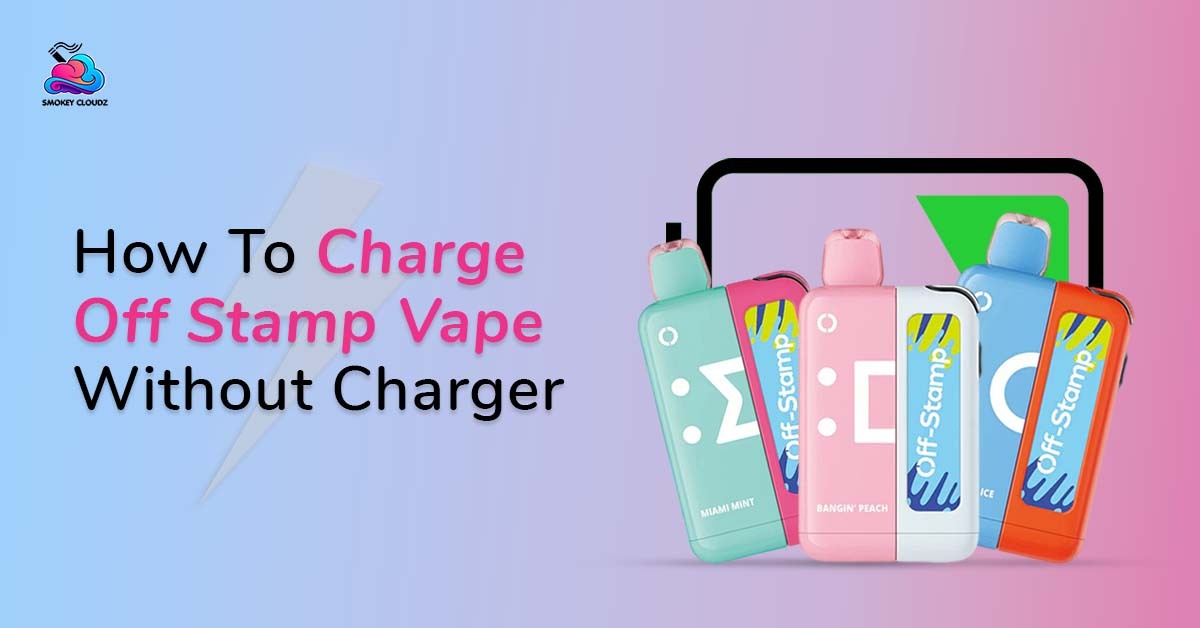
Losing a cable or wall plug can be annoying, mainly when the battery is already low. Before trying any quick trick, check the safe vape charging steps and identify which Off Stamp part you have. The charging method is different when you have only a pod, a pod with its battery dock, or a newer Off Stamp device with a USB C charging base.
The safest answer is clear. You can charge an Off Stamp vape without its original wall plug when you still have a compatible USB C cable and the correct charging device. You may use a normal USB wall adapter, computer USB port, power bank, or suitable car USB port.
If the USB cable, charging dock, and battery base are all missing, there is no safe home trick. You need a correct replacement accessory.
Do not cut a phone cable, expose wires, open the vape body, or press metal against the battery contacts. These actions can damage the lithium ion battery and may cause overheating, fire, leaking, or electric injury.
This guide is for adults aged 21 and over. Nicotine is addictive, and people who do not already smoke or vape should not start.
Can an Off Stamp Vape Charge Without Its Original Charger?
Yes, but the word charger can mean 3 different things:
-
The USB C cable
-
The wall power adapter
-
The reusable Off Stamp charging dock
If only the wall adapter is missing, you may be able to use another suitable USB power source with the correct cable.
If the original cable is missing, a good quality compatible USB C cable may work with the charging base.
If the Off Stamp battery dock is missing, a cable alone may not charge the disposable pod. You may need a matching Off Stamp charging device.
The official Off Stamp SW9000 system includes a disposable pod with a 200 mAh battery and a reusable charging device. The full kit has a 1000 mAh battery capacity and a Type C charging port. The pod can work independently for a limited time or connect to the charging device for longer use.
Which Part of an Off Stamp System Receives the Cable?
In an Off Stamp SW style system, the USB C cable normally connects to the reusable charging device.
The prefilled disposable pod attaches to the battery dock through its connection system. The charging dock then supplies power to the smaller battery inside the pod.
This means the pod section may still produce a few puffs after it is removed from the dock, but it cannot normally be charged by pushing a cable directly into the pod.
The official Off Stamp instructions describe the SW9000 as a rechargeable pod system that uses a USB cable or charging dock. The company also says a compatible charging accessory should be used because an unsuitable charger can damage the device or battery.
Newer models may use a different base or connection. The Off Stamp X CUBE, for example, uses a reusable charging device with a dual battery system and magnetic pod connection. Its charging design should not be treated as exactly the same as every SW model.
Check the model name before connecting anything.
Method 1: Use Another Compatible USB C Cable
A replacement USB C cable is the safest answer when the original cable is lost.
The cable should:
-
Fit the port without force
-
Sit firmly inside the port
-
Have no cuts or exposed wire
-
Come from a trusted electronics brand
-
Work correctly with another small device
-
Match the power source being used
Do not force a loose, bent, or oversized connector into the port.
A USB C connector should enter smoothly. If it only works when held at an angle, the cable or port may be damaged.
Safe Charging Steps
-
Remove dirt from the charging port with a dry soft brush.
-
Check the dock for cracks, leaks, or swelling.
-
Connect the compatible USB C cable to the charging base.
-
Connect the other end to a suitable USB power source.
-
Place the device on a clean, flat surface.
-
Watch the battery light or screen.
-
Disconnect it when charging is complete.
-
Let it cool before using it when the body feels warm.
Do not clean the port with water or a metal pin. A metal object may damage the internal contacts.
Method 2: Use a Computer USB Port
A desktop or laptop USB port can provide power when the wall plug is missing.
You still need a compatible cable and the correct Off Stamp charging base.
Use this method in the following way:
-
Place the computer on a stable surface.
-
Check that the charging cable is in good condition.
-
Connect the cable to the Off Stamp charging device.
-
Connect the other end to the computer.
-
Keep the vape in clear view.
-
Disconnect it after the battery indicator shows a full charge.
A computer USB port may charge more slowly than some wall adapters. Slower charging is not always a fault.
Stop when the computer shows a USB power warning or the vape becomes unusually hot.
Do not leave the device hanging from the computer port. The cable can pull on the vape port and damage it.
Method 3: Use a Power Bank
A normal power bank can be useful during travel, work, or a power cut.
The power bank should be in good condition. Avoid swollen, cracked, very hot, or unbranded units.
Follow these steps:
-
Put the power bank and vape on a hard surface.
-
Connect the cable to the Off Stamp charging base.
-
Connect the cable to the power bank.
-
Turn on the power bank when required.
-
Watch the charging light.
-
Disconnect both devices when charging ends.
Do not place the vape and power bank together inside a closed bag while charging. Heat may build up, and you may not notice a battery problem early.
A power bank is a replacement power source. It is not a replacement for the Off Stamp dock when the pod requires that dock.
Method 4: Use a Normal USB Wall Adapter
When you have the cable but lost the original plug, another suitable USB wall adapter may work.
Check the device instructions and adapter label first. Use a trusted adapter made for normal USB charging.
Avoid:
-
Loose wall plugs
-
Burnt adapters
-
Cracked plastic
-
Bent pins
-
Unknown high power adapters
-
Adapters that become very hot
-
Multi plug adapters with sparks or noise
Connect the cable firmly and keep the device on a table or counter while charging.
Do not charge on a sofa, mattress, blanket, pillow, or carpet. The FDA advises charging a vape on a clean and flat surface, away from anything that can catch fire, and in a place where the device can be seen.
Method 5: Use a Car USB Port Carefully
A car USB port can provide power when no wall adapter is available.
Only charge while the vape is placed safely and the car is parked. Do not handle the device while driving.
Use a built in USB port or a good quality car adapter. Stop when the adapter feels loose, produces a smell, or becomes very hot.
Never leave the vape charging inside a parked car after you leave. Car interiors can become extremely hot, even during mild weather.
The FDA advises protecting vape batteries from extreme heat and cold and not leaving them in a hot or freezing vehicle.
Method 6: Borrow a Matching Off Stamp Charging Dock
If you have the disposable pod but lost the reusable battery dock, borrowing a matching dock may work.
Check the exact model before connecting the pod.
The dock should:
-
Be made for the same Off Stamp system
-
Have clean contacts
-
Sit firmly against the pod
-
Have no cracks or swelling
-
Use a working compatible cable
-
Show normal battery lights
Do not use a dock from an unrelated vape brand. A similar shape does not prove the voltage, contact position, or battery system is correct.
The pod should connect without force. Stop when the magnets pull unevenly, the pod sits at an angle, or the contacts become hot.
A matching replacement dock is safer than trying to place power directly on the pod contacts.
Can a Phone Charger Work?
A phone charging cable or adapter may work when it matches the device port and power needs.
The safest setup is:
-
A good USB C cable
-
A normal trusted USB adapter
-
The correct Off Stamp charging base
-
A clean and undamaged port
The word phone charger covers many products. Some are low power. Others are made for fast charging large phones or laptops.
Do not assume every USB C power block is suitable just because the cable fits.
Check the Off Stamp instructions for the exact model. When the required charging details are missing, use a standard low power USB source or obtain the proper accessory from the seller.
Can Another Vape Charger Work?
Not always.
Many products in the Geek Bar vape collection use a direct USB C port on the disposable body. An Off Stamp SW system may use a separate battery dock instead.
The connector may look similar, but the full charging design is different.
A cable from another device may work when it is a standard compatible USB C cable. A magnetic charging dock from another brand should not be used.
The same rule applies when comparing an Off Stamp device with products in the RAZ vape range. Always follow the charging design of the exact model in your hand.
Charging Methods That Should Never Be Used
Some online videos show risky battery tricks. They may appear to work for a few seconds, but that does not make them safe.
Never use these methods:
Cut USB Cable Wires
Do not cut a cable and touch exposed wires to battery contacts.
The wrong contact, unstable connection, or short circuit can create sudden heat and battery damage.
Loose Metal on the Contacts
Do not use coins, foil, pins, paper clips, screws, or jewellery to move power into the device.
Metal can connect the wrong points and create a short circuit.
Opening the Vape Body
Do not cut, pull, drill, or break the pod or charging base.
The lithium ion battery may be damaged by pressure or sharp tools.
Direct Wall Power
Never connect a vape battery directly to household electrical wiring.
A vape needs controlled low voltage charging through its designed charging system.
Wireless Phone Charging Pads
An Off Stamp device should not be placed on a wireless phone pad unless its official instructions state that it supports wireless charging.
A magnetic pod connection is not the same as wireless charging.
Heating or Freezing the Battery
Do not heat a dead vape, place it in hot water, leave it in the sun, or put it inside a freezer.
Extreme temperatures can damage the battery and seals.
Charging a Leaking Device
E liquid around the port or charging contacts needs attention before power is connected.
Remove the pod when the instructions allow it, wipe the outside with a dry tissue, and stop using the product when leaking continues.
A Real Charging Situation
Imagine an adult has an Off Stamp SW pod and its battery dock, but the original wall adapter is missing.
They still have a good USB C cable.
Instead of cutting an old wire, they connect the dock to a trusted power bank. Both items are placed on a table in clear view. The charging light works normally, and the dock stays cool.
After charging, the cable is removed.
This is a reasonable replacement method because the correct dock and cable are still being used. Only the power source changed.
Now imagine the same person has only the small disposable pod. The charging dock is missing.
In that case, a USB cable and power bank are not enough. The safer move is getting a matching replacement dock rather than touching wires to the pod contacts.
Waiting for the right part can feel irritating, specially when the pod still contains liquid. But battery safety is more important than saving a few puffs.
Charging Errors That Cause Problems
Confusing the Pod With the Charging Base
The smaller pod may work by itself, but the larger dock is normally the part connected to USB power.
Using the First Cable Nearby
A damaged or loose cable can create unstable charging.
Forcing the Connector
USB C should fit smoothly. Force can damage the port.
Charging on a Bed
Soft surfaces hold heat and may cover the device.
Leaving It Overnight
Charging should be monitored. Disconnect the device when charging is complete.
Ignoring Heat
A little warmth can happen, but strong heat, swelling, smoke, or a burnt smell are warning signs.
Charging Near Water
Bathrooms, sinks, wet counters, and drink spills add unnecessary risk.
Trying to Charge an Empty Pod
Battery power cannot replace finished e liquid. A pod that tastes burnt or shows no liquid may need replacement.
Signs That Charging Must Stop
Disconnect the device when you notice:
-
Strong heat
-
A swollen body
-
Cracked plastic
-
Smoke
-
A sharp chemical smell
-
Hissing during charging
-
Liquid inside the port
-
A flashing pattern that is not normal
-
A melted cable
-
A loose or sparking adapter
Move away from the device when it starts smoking or burning. Do not hold a failing lithium ion battery in your hand.
The FDA reports receiving complaints about vape overheating, fires, and explosions. Battery problems can seriously harm the person using the device and people nearby.
Reading the Off Stamp Battery Lights
The light or screen can tell you more than the clock.
For the SW9000, Off Stamp states that the battery indicator may show:
-
Green for about 70% to 100%
-
Yellow for about 30% to 69%
-
Red for less than 30%
A red light usually means the battery needs power soon. A flashing light may also point to a low battery, poor connection, overheating, or another device warning. The exact meaning can differ between Off Stamp models, so check the instructions for the device in your hand.
Do not keep connecting and removing the cable every few seconds. Give the charging system time to begin.
If the light stays completely dark, check the cable, power source, port, dock connection, and device temperature before assuming the battery is dead.
Expected Charging Time
There is no single charging time for every Off Stamp model.
Off Stamp pages give different estimates based on the device and charging setup. Some guidance mentions around 45 to 60 minutes, while SW9000 material has stated that its charging base may take around 90 minutes. Another general Off Stamp guide gives a wider estimate of 1 to 2 hours.
This variation is normal because charging time can depend on:
-
Battery size
-
Battery level before charging
-
Cable condition
-
USB power source
-
Device temperature
-
Charging base model
-
Battery age
Use the battery indicator rather than relying only on a timer.
A computer USB port may charge more slowly than a suitable wall adapter. A weak or worn cable can also add extra time.
Stop charging when the indicator shows a full battery. Leaving the device connected for many extra hours can place unnecessary wear on the battery.
When the Off Stamp Will Not Charge
A device that will not charge does not always have a failed battery.
Begin with the easiest checks.
Check the Power Source
Connect another small USB device to the same USB port. If that device also receives no power, the wall adapter, computer port, car port, or power bank may be the problem.
Move to another trusted power source.
Check the Cable
Try another compatible USB C cable that is in good condition.
A cable may look normal while having broken wiring inside. A loose connector can also stop stable charging.
Check the Charging Port
Look inside the port under good light.
Dust, pocket material, or dried liquid may block the connector. Use a dry soft brush or dry cotton swab. Do not place a pin, knife, paper clip, or another metal item inside the port.
Check the Dock Connection
For a model that uses a separate charging base, remove the pod and connect it again.
The pod should sit straight and make firm contact. Dirt or liquid between the pod and base may stop charging.
Let the Device Cool
A hot battery may pause charging for protection.
Move the device away from direct sunlight and leave it on a firm surface. Do not place it in a fridge or freezer.
Check for Damage
Stop when the device is cracked, swollen, badly leaking, burnt, or unusually hot.
A damaged battery should not be tested with several cables and adapters.
Cleaning the Dock and Contact Points
Clean contact points can support a stable connection between the Off Stamp pod and charging base.
Use these steps:
-
Remove the pod from the base.
-
Disconnect the USB cable.
-
Wipe visible liquid with a dry tissue.
-
Use a dry cotton swab around the contacts.
-
Let every part become fully dry.
-
Reconnect the pod without force.
-
Connect the cable and watch the indicator.
Do not pour alcohol, water, or cleaning spray into the dock.
When a maker permits contact cleaning with isopropyl alcohol, use only a tiny amount on a swab and allow the area to dry completely before reconnecting power.
Liquid left around the electrical contacts can create weak charging, flashing lights, or heat.
Battery Trouble Compared With an Empty Pod
A charged battery cannot create aerosol when the pod has no liquid left.
This is a common source of confusion. The charging light turns green, but the vape still produces weak flavor or almost no aerosol.
Signs of a low battery may include:
-
Red battery light
-
Repeated flashing
-
Weak output that improves after charging
-
Device stopping during a puff
-
Screen showing little battery power
Signs of an empty or worn pod may include:
-
Empty liquid indicator
-
Lasting burnt taste
-
Very weak flavor after charging
-
Dry or hot aerosol
-
Gurgling followed by poor output
-
Visible liquid chamber appearing empty
Do not keep charging a pod because it tastes burnt. Battery power cannot restore finished liquid or damaged cotton.
Coil Condition Can End the Pod Early
The coil heats the liquid inside the pod. Its condition affects flavor, aerosol, and the usable life of the product.
A coil may wear before the full liquid amount is used when:
-
Puffs are very long
-
Puffs are taken too close together
-
The device becomes hot
-
The wick runs dry
-
Sweet residue builds around the coil
-
The pod is stored in strong heat
-
Airflow becomes blocked
A burnt coil normally cannot be repaired through charging.
The guide covering normal vape coil life gives more detail about puff habits, liquid, heat, residue, and replacement signs.
Stop using a pod when the burnt taste remains after the battery is charged and the device has cooled.
A Flashing Light After Charging
A flashing light after charging can have several meanings.
The battery may still be low because the cable did not make a firm connection. The pod may not be seated correctly. The device may also be too hot, out of liquid, or protecting itself after a long puff.
Try this order:
-
Disconnect the cable.
-
Let the device cool.
-
Remove and reconnect the pod.
-
Wipe the outer contacts.
-
Confirm that liquid remains.
-
Use 1 short test puff.
-
Stop if the light keeps flashing.
Off Stamp states that blinking commonly relates to a depleted battery, low liquid, overheating, or a loose connection, though light patterns differ between products.
Do not open the device to inspect its internal wires.
A Charging Base That Feels Warm
A little warmth can happen while a battery receives power.
Strong heat is not normal.
Disconnect the cable when:
-
The base becomes painful to touch
-
Heat rises quickly
-
Plastic begins to soften
-
A sharp smell appears
-
The battery swells
-
Smoke appears
-
The cable becomes hot
-
Liquid reaches the port
Move away from the device when it begins smoking or burning. Do not pick up a failing lithium battery with bare hands.
Charging should happen on a clean and firm surface, away from paper, bedding, curtains, fuel, oxygen, and other items that can catch fire.
Battery Storage Between Uses
Good storage can reduce avoidable battery and liquid trouble.
Keep the Off Stamp system:
-
In a cool and dry room
-
Away from direct sunlight
-
Away from a hot car
-
Away from freezing temperatures
-
Away from water
-
Away from keys and coins
-
Away from children
-
Away from pets
-
Upright when possible
-
Inside a protective case during travel
Do not leave the pod and dock charging inside a closed bag.
Heat can thin the liquid and increase leaking. Extreme temperature can also affect battery performance and long term battery condition.
Can the Device Be Used During Charging?
It is better to let charging finish first.
Using the device while connected may pull on the port and create more heat. Some models may support use with the charging base attached, but that is not the same as taking puffs while a USB cable is supplying power.
Wait until the cable is removed unless the official instructions for your exact model clearly permit use during USB charging.
Never use it while charging when:
-
The device is leaking
-
The port is loose
-
The cable is damaged
-
The base feels very hot
-
The battery is swollen
-
The device has been dropped
-
A burnt smell appears
A few minutes without the vape is safer than stressing a damaged battery connection.
A Real Device Failure Situation
Imagine an adult connects an Off Stamp charging base to a laptop.
The light does not appear. They assume the battery has failed and begin searching for a video showing exposed cable wires.
Before trying that, they connect a phone to the same laptop port. The phone also receives no power.
They move the USB cable to another port, and the Off Stamp charging light begins working.
The vape was not broken. The first computer port was the problem.
Now imagine the charging light turns green, but every puff tastes dry and burnt.
More charging will not fix that issue. The pod liquid may be empty, or the coil may already be damaged.
Checking power, liquid, and coil condition separately can prevent unsafe repairs.
Risky Shortcuts That Damage Devices
Pressing Wires Against the Contacts
An unstable wire can touch the wrong point and create a short circuit.
Holding the Cable at an Angle
This may damage the USB port and make the connection worse.
Charging a Wet Base
Liquid near electrical contacts may cause heat, corrosion, or failure.
Leaving the Device Overnight
A battery problem may go unnoticed while everyone is sleeping.
Using a Damaged Power Bank
A swollen or cracked power bank creates another battery risk beside the vape.
Continuing After a Burnt Smell
A burnt smell may come from the coil, port, cable, or battery. Stop and inspect the device.
Opening the Battery Body
Home battery repair can puncture the cell or damage its protection circuit.
Charging Near Fuel or Oxygen
A battery fire near flammable gas or medical oxygen can become much more serious.
Steps Before Buying a Replacement Charger
Check the full model name before ordering a new cable or dock.
Record the Device Name
Look at the package, pod, and base. SW9000, SW16000, X CUBE, and other models may not use the same accessory.
Identify the Missing Part
Decide whether you need:
-
A USB C cable
-
A wall adapter
-
A charging dock
-
A complete battery base
-
A replacement pod
Check the Connection
A normal USB C cable is different from a magnetic pod dock.
Review the Seller Details
The seller should clearly name the compatible Off Stamp model.
Avoid Unmarked Parts
A very cheap dock with no model information may have the wrong contacts or charging control.
Keep the Receipt
A receipt may support a return when the accessory does not match the listing.
Do not force an accessory that sits unevenly or becomes hot.
Times to Contact the Seller
Contact the retailer when:
-
The device arrived with no charging cable
-
The charging base was missing
-
The port was damaged at delivery
-
The product never accepted power
-
The pod does not connect to the base
-
The package listed the wrong accessory
-
The battery became hot during its first charge
-
The device arrived leaking
-
The light pattern is not covered in the instructions
-
You need the exact replacement dock
Provide the order number, model, flavor, package photo, and a clear description of the fault.
A seller can discuss product parts, compatibility, warranty terms, and replacement options. Battery injuries or health symptoms need medical care.
This Topic Inside the Complete Charging Guide
The question how to charge Off Stamp vape without charger connects with a wider battery care topic.
A complete charging guide should cover:
-
Cable compatibility
-
Charging docks
-
USB power sources
-
Charging time
-
Indicator lights
-
Port cleaning
-
Battery heat
-
Safe storage
-
Damaged device signs
-
Battery disposal
The complete charging article was linked naturally in Part 1. Its URL should not be added again.
Safe charging is not about making any cable work. It is about using the correct device connection, a suitable power source, and an undamaged battery.
FDA Battery Safety Guidance
The FDA information about e cigarettes and vaping devices notes that safety problems reported with vaping products include overheating, fires, and explosions.
FDA battery guidance also says to follow the maker’s care instructions, charge on a clean and flat surface, keep the device in sight, and protect it from extreme heat and cold.
These warnings are the main reason exposed wire tricks and opened battery repairs are not included as charging methods.
Final Thoughts
The safest answer to how to charge Off Stamp vape without charger depends on which charging part is missing.
When the original wall adapter is gone, use a suitable USB power source with a compatible USB C cable.
When the cable is gone, use a good replacement cable that fits correctly.
When the reusable Off Stamp dock is gone, obtain a matching dock for the exact model. A cable cannot safely replace a required magnetic charging base.
Check the battery light, liquid level, pod connection, and coil condition before assuming the device is broken.
Never use cut wires, foil, coins, pins, direct wall power, or an opened vape battery. Stop charging after strong heat, swelling, smoke, leaking, or a sharp smell.
FAQs
Can I charge an Off Stamp with a phone cable?
A compatible USB C phone cable may work with the correct Off Stamp charging base and a suitable power source.
Can I charge the pod without the Off Stamp dock?
A pod made to receive power through a reusable dock needs a matching dock. Do not place wires on its contacts.
How long can an Off Stamp take to charge?
The time depends on the model and power source. Published Off Stamp guidance ranges from about 45 minutes to 2 hours.
Why is my Off Stamp flashing after charging?
The cause may be a weak connection, low liquid, overheating, pod trouble, or a battery warning.
Can charging remove a burnt taste?
No. Charging restores battery power. It cannot repair a burnt coil or replace finished e liquid.

Leave a comment
This site is protected by hCaptcha and the hCaptcha Privacy Policy and Terms of Service apply.