
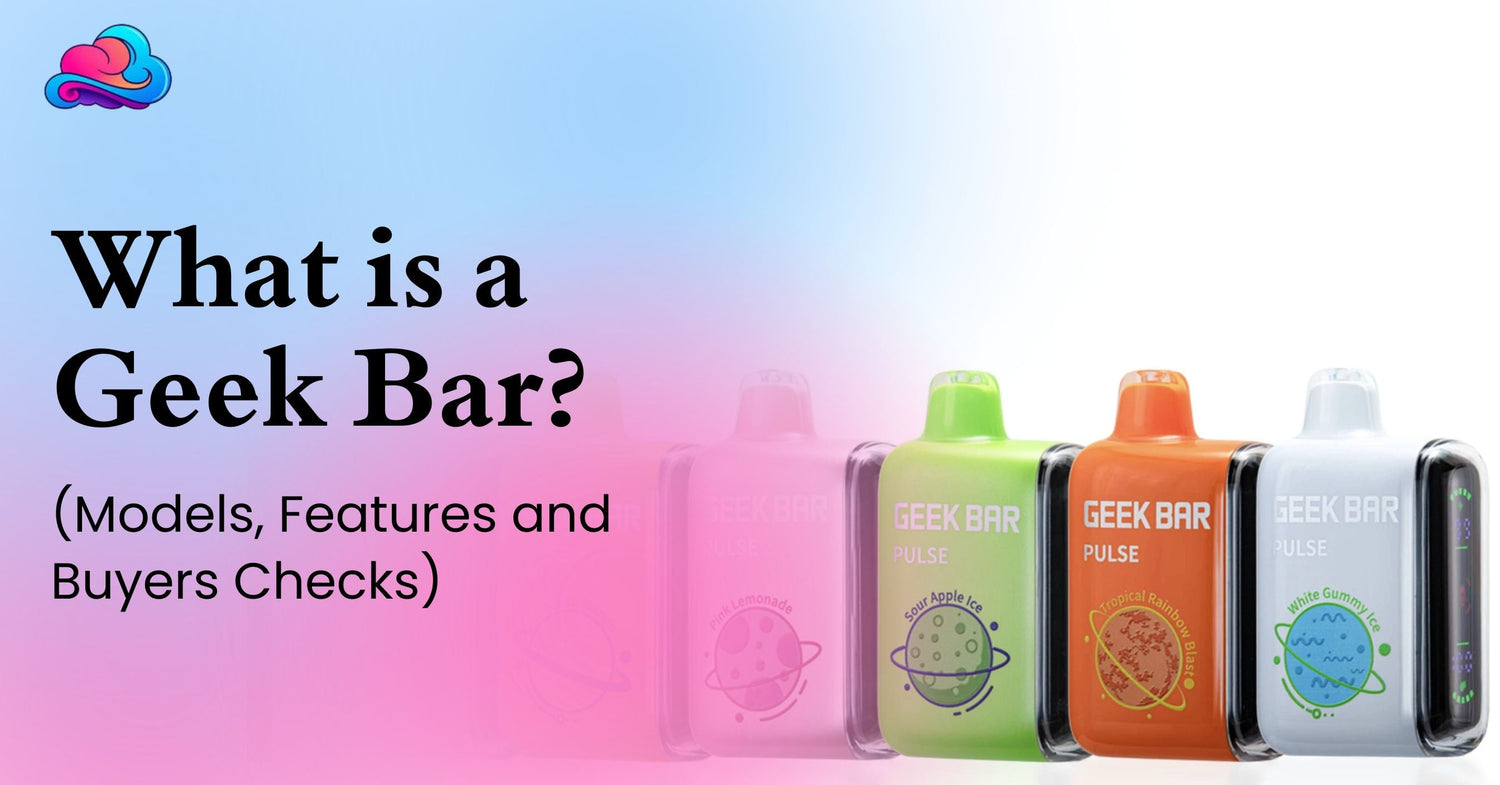
Many adult buyers hear the brand name but still ask what is a geek bar and whether every model works in the same way. Geek Bar is a vape brand with several product formats. Its current catalog includes sealed disposable devices, pod systems, and other device styles, so the product name alone does not tell you whether a model is refillable, rechargeable, or fitted with replacement pods.
This difference matters before payment. A Geek Bar disposable vape may arrive prefilled and sealed, while a pod system can include a battery section and compatible pods. Screens, puff ratings, power modes, battery size, liquid capacity, nicotine strength, and charging needs can also vary between models.
This article is for adults aged 21 and above. Many Geek Bar products contain nicotine, which is addictive. Keep every device away from children, pets, water, and strong heat.
A Direct Geek Bar Answer
The clearest answer to what is a geek bar is that it is a branded vaping product made in several formats. The official Geek Bar catalog currently separates products into disposable devices, pod systems, e hookah products, and a pod platform.
A sealed device is normally used until its liquid or internal coil reaches the end. Some sealed models have rechargeable batteries, but that does not make them refillable. A pod system works differently because the main battery may remain in use while a compatible pod is attached or replaced.
Adults should review the exact model rather than treating every Geek Bar as the same product. The Geek Bar device types can differ greatly in size, controls, charging method, puff rating, and replacement process.
Is a Geek Bar Disposable or Refillable?
Many familiar Geek Bar models are sealed disposable products. A Geek Bar disposable vape normally arrives prefilled and does not require bottled liquid, tank cleaning, or coil installation before use.
A rechargeable sealed model can receive more battery power while liquid remains. It should still not be opened, refilled, or taken apart unless the official product instructions clearly state that the model supports those actions.
Geek Bar also lists pod systems in its current catalog. These products may use a separate battery and pod structure, which means the adult buyer needs to confirm whether the package contains a full kit, a battery, or only a replacement pod.
The words disposable, rechargeable, and refillable describe different parts of the product. A device can be disposable and rechargeable at the same time while remaining sealed and non refillable.
Geek Bar Device Types in the Current Range
The current Geek Bar device types include disposable models and pod systems. The official catalog also separates e hookah products and a pod platform, showing that Geek Bar now covers more than 1 basic device format.
Disposable models can include screens, liquid indicators, battery indicators, mesh coils, power modes, and airflow controls. A model such as the original Pulse is listed with a full screen, dual mesh coil, Regular mode, Pulse mode, and 5% nicotine.
Pod systems use a different structure. The battery section may remain in use while the pod is connected or replaced. This format can involve more compatibility checks than a sealed product because the pod must match the correct device.
Adult buyers should read the complete product title and package contents. A replacement pod may look like a complete product in a small image, yet it may not work without its matching battery.
Main Features Adult Buyers May Notice
Modern Geek Bar products can include digital screens that show battery and liquid information. This can reduce the uncertainty of waiting for the device to stop with no warning.
Some devices also include more than 1 power mode. The original Pulse is listed for 15,000 puffs in Regular mode and 7,500 in Pulse mode, while the Pulse X is listed for 25,000 puffs in Regular mode and 15,000 in Pulse mode. These are stated estimates, and actual use can vary.
Mesh coils are also used across several models. Their purpose is to heat liquid across a wider coil area, though coil condition can still change with heat, liquid level, and repeated use.
Other possible features include quick charging, adjustable airflow, mode buttons, curved screens, and battery animations. The exact feature list should always come from the model page or package rather than another Geek Bar product.
Can Geek Bar Puff Count Predict Device Life?
A Geek Bar puff count is an estimated maximum used to compare models. It is not a fixed promise that every adult will receive the exact number printed on a package.
Puff length makes a major difference. A person taking longer draws can use more liquid and battery power than someone taking short draws. Stronger power modes can also lower the stated total.
The original Pulse shows this difference clearly because Regular mode carries a higher rating than Pulse mode. Pulse X follows the same pattern, with a larger rating in Regular mode and a lower rating in its stronger mode.
Adults wanting more background on puff estimates can review the Loon Air Plus puff count guide. The product is different, but the same basic factors can affect the time a device remains in use.
Geek Bar Puff Count Versus Daily Use
The Geek Bar puff count should be used for model comparison, not as an exact calendar. A device rated for many puffs may last a different number of days for 2 adults with different habits.
Liquid level, battery condition, airflow, power mode, and coil performance can all affect the result. A screen can report battery and liquid status, but it cannot guarantee a certain number of remaining days.
A high rating also means the same flavor may remain in use for longer. Adults should select a profile they can tolerate during repeated sessions instead of focusing only on the largest number.
When vapor becomes weak or the taste stays burnt, more charging may not solve the issue. The liquid or built in coil may have reached its usable end.
Can Every Geek Bar Be Recharged?
No. Geek Bar charging depends on the exact model. Older or smaller sealed products may not include a charging port, while many larger current devices use rechargeable batteries.
The official Pulse X page lists quick charging and states that its battery can reach 80% in around 20 minutes under the intended charging setup. The exact result can vary with the cable, power source, battery condition, and room temperature.
A charging port should never be added to a product that does not have one. Do not open the body, attach loose wires, or push metal objects into the device.
Charge on a hard, dry surface. Stop using a product that becomes swollen, badly damaged, unusually hot, or heavily leaking.
Geek Bar Charging Checks
Before Geek Bar charging, inspect the port for dust, moisture, or visible damage. Use a cable that enters without force and follow the directions supplied with that model.
A screen may display battery progress or a charging animation. Unplug the product when charging is complete, and do not leave it connected near bedding, water, or direct heat.
Charging only restores battery power. It does not add liquid, repair an internal coil, or remove a lasting burnt taste. A full battery with no vapor can point toward low liquid, blocked airflow, or an internal fault.
A product with no charging response may need another suitable cable or store support. Repeatedly connecting a damaged device is not a proper repair method.
Geek Bar Flavors and Taste Groups
Geek Bar flavors can cover fruit, mint, ice, candy, drink, and mixed profiles. The official Pulse pages list options such as Strawberry Kiwi, Raspberry Watermelon, Banana Ice, Peach Lemonade, Blue Razz Ice, Cool Mint, and several mixed fruit profiles.
A flavor name may include several taste directions. A fruit profile can also have cooling, while a mint name may focus more strongly on a cold finish.
Personal comfort matters during longer use. A very sweet or icy taste may feel attractive at first but become tiring during repeated sessions.
Adults with lung related concerns should review vaping and lungs questions separately from flavor selection. A pleasant taste does not remove the need to pay attention to breathing symptoms.
Picking Geek Bar Flavors for Regular Use
The first step with Geek Bar flavors is deciding between fruit, cooling, sweet, or mixed profiles. This reduces the chance of ordering only because a product name looks interesting.
Next, consider long session comfort. Strong mint may feel too cold for some adults, while candy or dessert profiles may feel too rich after repeated use.
Taste also cannot confirm nicotine strength. Read the package and product listing because 2 products with similar flavor names can still carry different technical details.
Dry mouth can also affect taste comfort. Adults noticing that issue can review vape dry mouth concerns before buying another strongly flavored device.
Are Zero Nicotine Geek Bars Available?
Zero nicotine availability should be confirmed model by model. The current official product catalog reviewed for this article carries broad nicotine warnings and does not clearly present a dedicated United States zero nicotine category. This is an inference from the current catalog, not a claim that no such product exists in every market.
A flavor called Clear does not automatically mean zero nicotine. Clear may describe the taste profile rather than nicotine content.
Do not rely on package color, flavor name, or a seller caption. Check the nicotine percentage printed on the sealed package and current product listing.
When a zero nicotine claim appears, confirm the exact model, market, package label, and seller details before payment.
Authentic Geek Bar Verification
An authentic Geek Bar package should include a security label or code that can be checked through the official Geek Bar verification page. The company instructs buyers to scratch the authentication label and enter or scan the security code. Each code is intended for a single verification.
The official FAQ also advises buyers to inspect printing quality and the security result. A code that is invalid, or already checked before the buyer has opened the label, can be a warning sign.
Keep the package, receipt, and authentication code after buying. These details may be needed for store support or a product complaint.
A low price alone does not prove that a product is fake. Still, unclear packaging, missing labels, damaged seals, incorrect model details, or a failed code check deserve attention.
Authentic Geek Bar Buying Checks
Before ordering an authentic Geek Bar, review the seller, package images, model name, nicotine label, flavor, puff rating, and charging details. The specifications should match across the listing and physical box.
Use only the official verification process printed on the package or hosted on the official Geek Bar domain. A copied verification page can imitate the original design.
Do not use a product that arrives open, badly leaking, swollen, or with signs of battery damage. Verification confirms a code, but it does not make a physically damaged product safe to use.
Contact the seller when the product details do not match the order. Keep clear photos before removing labels or discarding the box.
A Practical Adult Buying Process
The question what is a geek bar becomes more useful when it leads to a proper buying process.
-
Confirm the product format. Check whether it is a sealed disposable, pod kit, battery, or replacement pod.
-
Review the nicotine label. Do not assume that a flavor name or device color shows the nicotine amount.
-
Check the puff rating and power modes. Treat every rating as an estimate.
-
Review charging support. Never attach a cable to a model that is not built for charging.
-
Compare the flavor group with your normal taste. Think about sweetness and cooling during repeated use.
-
Check the authentication label and keep the package after delivery.
-
Stop using a product that leaks badly, becomes very hot, or has visible battery damage.
This process covers the main Geek Bar device types without treating all models as identical.
A Real Buyer Example
Consider an adult buyer named Daniel who asks what is a geek bar after noticing several products with different screens and puff ratings. He first assumes they are all sealed devices with the same setup.
Daniel reviews 2 models. The first is a rechargeable sealed disposable with a screen and power modes. The second is a pod system that needs compatible replacement pods.
He selects the sealed model because he does not want to manage separate parts. He also checks the nicotine label, charging port, flavor profile, and security code before use.
Another adult may prefer the pod system because keeping the battery and replacing the pod fits their routine better. The right format depends on the product structure and the work the buyer accepts.
Physical Comfort and Nicotine Use
Flavor and screen design can take attention away from physical reactions. Dizziness, dry mouth, coughing, or breathing discomfort should not be ignored because a device looks modern.
Adults who feel lightheaded can review vaping and dizziness concerns. Pause use when an unwanted reaction begins rather than taking more puffs to test the product.
Severe chest pain, breathing trouble, fainting, or another urgent symptom needs medical care. A store article cannot diagnose the cause of a personal health problem.
Nicotine intake can change with puff frequency, draw length, device strength, and power mode. Keep track of use rather than relying only on flavor.
Geek Bar Compared With RAZ Products
Adults comparing brands can review the RAZ vape collection alongside Geek Bar products. The same checks apply, including product format, puff rating, screen, airflow, nicotine, flavor, and charging.
A model such as the RAZ RX 50000 disposable vape provides another sealed device format for comparison. It should not be treated as a Geek Bar product or used with Geek Bar parts.
Brand comparison works best when the same buying points are placed side by side. A larger puff number does not automatically create a better personal match.
Never mix pods, chargers, docks, or replacement parts unless the product instructions clearly state that they are compatible.
Retail Orders and Wholesale Supply
A personal purchase and a wholesale order serve different needs. An adult buying 1 device should use a normal retail process with age checks and current product information.
Store owners may need larger quantities, invoices, account checks, and product records. The Smokey Cloudz guide covering vape wholesale in the USA provides added business context.
Wholesale access should not be used to avoid age rules or local sales requirements. Retailers remain responsible for the laws and product controls that apply to their business.
Product authenticity matters at both levels. A retailer should keep supplier records, while an individual buyer should keep the receipt and package.
Errors That Often Cause Problems
A frequent error is assuming every Geek Bar is refillable because it has a charging port. Charging and refilling are separate product features.
Another error is ordering a replacement pod without the matching battery. Product images can look complete even when the listing covers only 1 part.
Some adults rely only on the Geek Bar puff count. This can lead to disappointment when stronger modes or longer draws reduce real device life.
Ignoring the authentication code is another issue. Packaging can look convincing, so the official security check adds an important step.
The final error is using a damaged product because it still produces vapor. Leaking, swelling, extreme heat, or broken casing are reasons to stop.
Better Buying and Use Practices
Read the exact model page before payment. Compare the package contents, battery, liquid capacity, nicotine strength, puff rating, modes, airflow, and charging port.
Keep the mouthpiece and charging area clean and dry. Use steady draws and give the coil short pauses during repeated use.
Store the device upright in a cool place. Do not leave it inside a hot car or beside a sunny window.
Keep the box and proof of purchase until the device has been checked. This gives store support more information when a new product has a fault.
Connection With the Wider Geek Bar Guide
The topic what is a geek bar belongs inside a complete Geek Bar device and buying guide. A full pillar article can cover current models, device formats, puff ratings, flavors, charging, nicotine labels, authenticity, and replacement timing.
This article supports that main guide by separating sealed disposables from pod systems. It also gives adults a repeatable process for checking a model before payment.
The same process remains useful as new products enter the range. Start with the format, then review nicotine, puff rating, charging, flavor, and security details.
A pillar guide can also connect model specific pages without forcing every feature into 1 article.
When Store or Medical Support Matters
Contact the seller when a device arrives damaged, the model differs from the order, the security code fails, or the package has already been opened.
Store support is also suitable when a rechargeable model will not charge through the intended port. Do not open the body or connect exposed wires.
Medical support matters when symptoms are severe, repeated, or worrying. Product advice cannot replace care from a qualified healthcare professional.
Keep the product, packaging, receipt, and clear photos while a complaint is reviewed. Do not keep using a product that may be damaged.
Conclusion
The answer to what is a geek bar is broader than a single disposable device. Geek Bar currently lists sealed disposables, pod systems, and other product formats, each with its own battery, pod, puff, flavor, and charging details.
Some models are rechargeable while remaining sealed and non refillable. Pod systems may keep the battery in use while compatible pods are replaced.
Review the product format first. Then check nicotine strength, puff rating, power mode, charging port, flavor profile, package contents, and security code.
An adult buyer gets a clearer result by matching the device with their normal routine rather than selecting only by screen size or the largest puff number.
FAQs
Is a Geek Bar Disposable or Refillable?
Many models are sealed disposables. Geek Bar also lists pod systems, so the exact product format should be checked before buying.
Can a Disposable Geek Bar Be Rechargeable?
Yes. Some sealed disposable models have rechargeable batteries. Charging does not automatically make the device refillable.
Do All Geek Bars Need Charging?
No. Charging support varies by model. Only connect a cable when the device has an intended charging port.
Are Zero Nicotine Geek Bars Available?
Availability can differ by product and market. Check the nicotine label on the exact sealed package rather than relying on the flavor name.
Which Geek Bar Details Matter Before Buying?
Check product format, nicotine level, puff rating, flavor, power modes, charging support, package contents, and authentication code.
Can Puff Ratings Differ in Real Use?
Yes. Longer draws, frequent sessions, airflow, and stronger modes can reduce the real total.
Can Adults Check Product Authenticity?
Yes. Scratch the security label and use the official Geek Bar verification page. Keep the package and receipt.
Is a Clear Flavor Always Nicotine Free?
No. Clear may describe a neutral taste. The nicotine percentage must be checked separately.
Can Geek Bar Pods Fit Other Brands?
Do not assume cross brand compatibility. Use only pods and parts listed for the exact device.

Leave a comment
This site is protected by hCaptcha and the hCaptcha Privacy Policy and Terms of Service apply.