
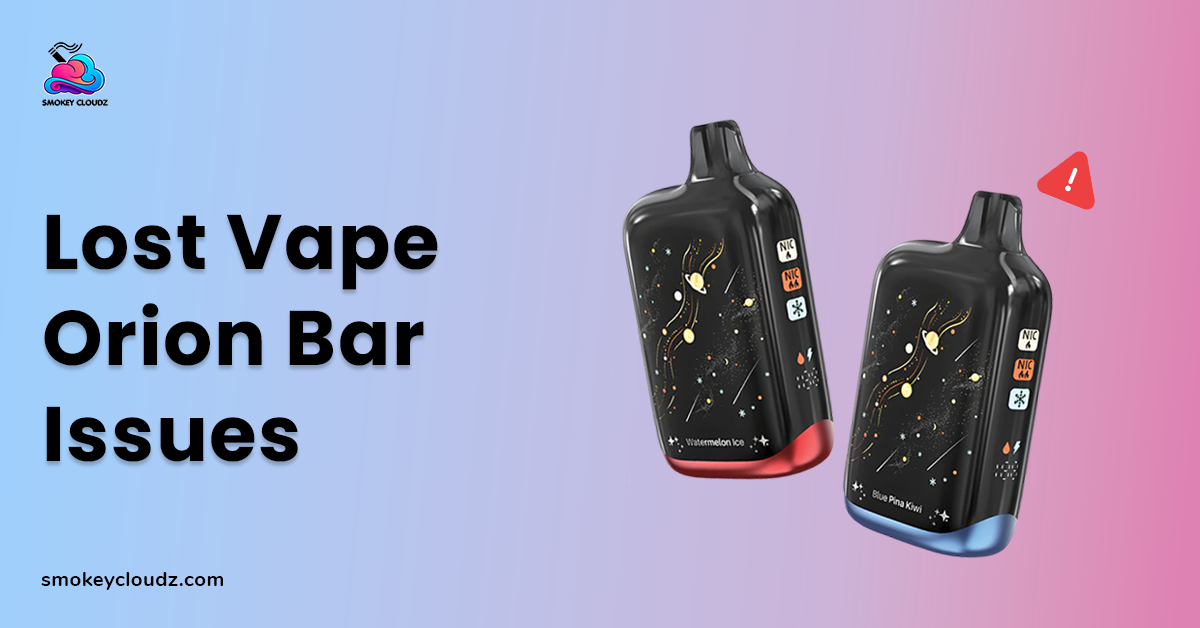
When a vape starts acting differently, it can be hard to tell whether the problem comes from the battery, airflow, coil, liquid, or an internal part. Lost vape orion bar issues may appear as weak vapor, no vapor, blinking lights, faster battery drain, leaking, unusual heat, or a burnt taste.
The frustrating part is that several problems can create very similar signs. A weak draw, for example, may come from restricted airflow, low battery power, or poor contact inside the device. Checking 1 area at a time makes troubleshooting much easier and reduces unnecessary handling.
If you are still getting familiar with the device, the Lost Vape Orion Bar usage guide gives wider background on normal use. This article focuses specifically on faults, warning signs, and practical checks.
Can Poor Airflow Cause Weak or Missing Vapor?
Yes. Restricted airflow can reduce vapor output and make a draw feel unusually tight. Residue around the mouthpiece or airflow areas may interfere with normal air movement.
This can sometimes look like a battery failure because the device may activate but produce little vapor. Before assuming that an internal part has failed, inspect the visible airflow areas for buildup or debris.
Keeping these areas clean can reduce repeated lost vape orion bar issues linked with restricted airflow. The guide covering vape tank cleaning gives additional context around residue and cleaning.
Avoid pushing sharp objects deep inside the device. Surface cleaning is very different from taking apart internal components.
Can Coil Wear Affect Flavor and Vapor?
A worn coil can affect both taste and vapor output. The supplied material connects coil problems with weak vapor, burnt taste, poor flavor, and reduced performance.
Coils experience wear during use, so a change in performance does not always mean the battery has failed. A burnt or unpleasant taste may appear alongside weaker vapor when coil condition has declined.
The article about vape coil lifespan gives more background on coil wear and the signs associated with it.
If your Orion Bar version is not designed for user coil replacement, avoid opening the device. Follow the design limits of the exact unit rather than forcing access to internal parts.
Can Dirty Contact Areas Interrupt Power?
Poor contact can create intermittent performance. A device may work for a short period, stop, and then respond again later if residue or a weak connection is affecting power flow.
If accessible contact points are part of the unit, inspect them for visible dirt, moisture, or residue. Cleaning should remain gentle and should not involve bending or forcing components.
Contact trouble can be especially confusing because it may look like several other lost vape orion bar issues. The battery may still hold charge even though power is not moving correctly through the device.
If the light activates but vapor still does not appear, the article on a vape lighting up without hitting covers that symptom in more detail.
Can Battery Drain Affect Orion Bar Performance?
Yes. Low battery power can reduce or stop vapor production. Faster than expected battery drain may also make performance feel inconsistent during regular use.
Frequent use, charging connection problems, and battery condition are among the areas mentioned in the supplied material. Before assuming that the device has failed completely, check whether it has enough available charge.
The guide covering vape charging gives broader charging context. Use the charging method intended for the device and avoid careless charging practices.
A battery that repeatedly drains very fast, becomes unusually hot, or behaves unpredictably deserves more caution than an ordinary low charge warning.
Can Leaking Liquid Create Other Problems?
Liquid around areas that should remain dry can interfere with normal operation. It may affect airflow, electrical contact, flavor, and the general condition of the device.
A leak may also create residue around the mouthpiece or connection areas. That can turn 1 issue into several symptoms, making the actual cause harder to identify.
For this reason, liquid residue should not be ignored when checking lost vape orion bar issues. Wipe accessible areas carefully and inspect the device for visible signs of damage.
The broader guide on cleaning a vape device covers cleaning practices that can reduce buildup around accessible areas.
Is a Blinking Light Always a Major Fault?
Not always. A blinking light can indicate that the device has detected a condition that needs attention. The supplied material connects blinking behavior with battery status, heat, contact problems, pod position, or internal faults.
Start with basic checks rather than assuming the worst. Check the battery level, allow the device to cool if it feels warm, and inspect visible areas for residue.
Blinking patterns can differ between devices. The article about a Foger vape blinking 188 covers blinking behavior on another device and gives wider context around vape warning indicators.
If blinking continues after normal checks, avoid repeatedly activating the device. Persistent warning behavior may point to an issue that surface cleaning cannot correct.
Can Device Age Affect Performance?
Yes. Vape components do not maintain the same condition forever. Battery performance, coil condition, liquid quality, and internal parts can all change with time and storage.
A device stored for a long period may therefore behave differently from a recently used unit. Changes in flavor, vapor output, battery behavior, or general operation should be considered together.
The article covering whether vapes expire gives further context around age and storage.
Age alone may not explain every fault, but it should be considered when repeated lost vape orion bar issues appear on an older or long stored device.
Can Excess Heat Affect Normal Operation?
Yes. Repeated use may raise device temperature. The supplied material notes that excess heat can reduce vapor output or trigger temporary protective behavior.
If the device becomes unusually warm, stop using it and allow it to cool. Repeated activation while it is already hot is not a good troubleshooting method.
Temperature can also be affected by the surrounding environment. The article discussing vape temperature gives added context around heat as part of vape use.
Heat should receive extra attention when it appears together with charging trouble, strange smells, swelling, or unpredictable battery behavior.
Can Burnt Taste Point to a Coil Problem?
A burnt taste is an important warning sign. The supplied material links burnt flavor with a dry condition, low liquid, coil wear, and repeated long draws.
Continuing to use a device that tastes badly burnt may make the experience worse. Instead, consider whether vapor became weaker before the taste changed and whether the device has been used heavily.
The guide on reasons a vape tastes burnt covers this symptom in more detail.
There is also a difference between a burnt taste and a burnt smell coming from the device itself. The article discussing burnt vape smell provides extra context around that separate warning sign.
A Step by Step Troubleshooting Process
Trying many fixes at the same time can make lost vape orion bar issues harder to understand. A more controlled process lets you see which symptom changes after each check.
Start with the easiest external areas. Then move toward battery, temperature, and signs of internal trouble. Avoid opening parts that are not designed for user access.
A practical order is:
-
Inspect the mouthpiece for visible residue.
-
Check visible airflow areas for blockage.
-
Check the available battery charge.
-
Inspect accessible contact areas.
-
Watch for blinking or other warning behavior.
-
Notice whether vapor has become weak.
-
Pay attention to burnt taste or unusual smell.
-
Stop using the device if it becomes unusually hot.
-
Consider device age and storage.
-
Stop troubleshooting if an internal battery or electrical fault appears likely.
This sequence keeps basic cleaning issues separate from faults that may need manufacturer support or replacement.
Real World Example
Imagine an Orion Bar that worked normally earlier but now produces a very weak draw. The light still responds, yet little vapor appears.
Instead of immediately assuming the battery is broken, the user checks the visible airflow areas first. Some residue is present around the mouthpiece, so that area receives gentle cleaning.
If the draw remains weak, battery charge and accessible contacts can be checked next. If the device then becomes unusually warm or starts blinking repeatedly, continued activation should stop.
This example shows that several symptoms can overlap. A careful order makes lost vape orion bar issues easier to narrow down without unnecessary internal handling.
Errors That Often Make Troubleshooting Harder
A frequent error is treating every weak hit as a dead battery. Restricted airflow, coil wear, poor contact, and heat can create similar symptoms.
Another problem is repeatedly trying to activate a device while it is very warm. Giving the unit time to cool can provide useful information about whether heat contributed to the problem.
Forcing open a device is another poor approach when it is not designed for internal user repair. Surface maintenance should not turn into battery or electrical work.
Ignoring a burnt smell, unusual battery behavior, or excessive heat is also risky. Those signs deserve more caution than ordinary flavor loss or light residue.
Better Practices for Reducing Repeat Problems
Keep the mouthpiece and visible airflow areas free from heavy buildup. Regular inspection can make small changes easier to notice before performance drops further.
Pay attention to early signs such as weaker vapor, altered flavor, blinking behavior, faster battery drain, or unusual heat. These clues can point toward the likely problem before complete failure occurs.
Use the intended charging method and store the device away from extreme heat. Gentle handling also reduces the chance of damage around ports and accessible contact areas.
These habits cannot prevent every lost vape orion bar issues case, but they can make unusual behavior easier to spot and assess.
Connection to the Wider Orion Bar Guide
Troubleshooting makes more sense when normal device behavior is already understood. Knowing normal use patterns gives you a baseline for spotting changes in airflow, vapor, battery response, and warning lights.
The Lost Vape Orion Bar usage guide acts as the wider pillar resource for this article. It covers normal device use, while this page focuses on problems that can appear when performance changes.
That relationship keeps the topics separate without repeating the same material. Readers can use the wider guide for normal operation and this page for fault related checks.
When Professional Support Makes Sense
Basic cleaning and charging checks cannot correct every issue. Persistent overheating, unpredictable battery behavior, ongoing error signals, or an internal electrical fault may need manufacturer or retailer support.
If the device is damaged, swollen, leaking badly, or behaving in a way that appears unsafe, stop trying to make it work through repeated activation.
The supplied brief does not include a contact or service page URL, so no service link has been added here. Manufacturer instructions should take priority when internal parts or batteries are involved.
Professional support is also more appropriate when the device is not designed for user repair. Trying to repair sealed electrical parts can introduce new risks.
Battery Safety Needs Extra Care
Battery problems deserve more caution than ordinary airflow cleaning. The FDA says vape fires and explosions appear uncommon, but these events can cause serious injuries. It also says some evidence points to battery related issues as a possible cause.
The FDA advises reading and following manufacturer instructions, charging a vape on a clean and flat surface away from materials that can easily catch fire, and keeping vaping devices away from extreme temperatures. Its vape battery safety guidance also advises against charging a device in extreme heat or cold.
This matters when dealing with charging trouble, unusual heat, or unpredictable battery behavior. Those signs should not be treated like an ordinary dirty mouthpiece.
Conclusion
Lost vape orion bar issues can appear in several forms, including weak vapor, poor airflow, blinking lights, rapid battery drain, liquid residue, unusual heat, and burnt taste.
Start with low risk external checks. Inspect the mouthpiece, airflow, available charge, and accessible contact areas. Pay attention to warning lights, temperature changes, burnt taste, and unusual smells.
If the device stays unusually hot, behaves unpredictably, or appears to have an internal electrical or battery fault, stop using it rather than forcing internal repairs.
A calm troubleshooting process gives each symptom proper attention and makes it easier to separate routine maintenance from a fault that needs further support.
FAQ
Can blocked airflow cause weak vapor?
Yes. Residue around visible airflow areas may restrict air movement and reduce vapor output. Gentle external cleaning may address this type of blockage.
Can battery trouble make an Orion Bar stop working?
Yes. Low charge, poor contact, or battery trouble may affect performance. Unusual heat or unpredictable battery behavior needs extra caution.
Is a burnt taste linked with coil wear?
It can be. The supplied material connects burnt taste with coil condition, low liquid, and repeated long draws. Persistent burnt taste should not be ignored.
Can overheating cause temporary performance problems?
Yes. Excess heat may reduce vapor output or trigger temporary protective behavior. Allow a warm device to cool before further assessment.
Are blinking lights always caused by the battery?
No. Blinking may relate to battery status, heat, contact problems, pod position, or internal faults. The surrounding symptoms can give more context.

Leave a comment
This site is protected by hCaptcha and the hCaptcha Privacy Policy and Terms of Service apply.