
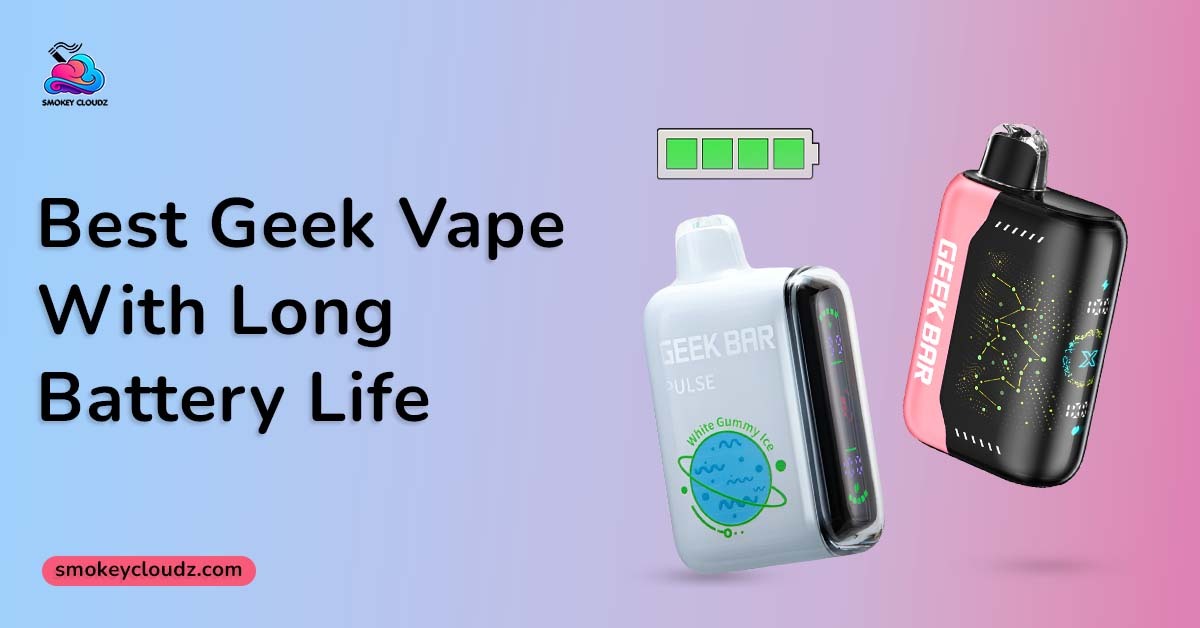
Battery life can become a daily frustration when a device needs power at the wrong time. A large puff number may look impressive, yet it means little when the battery is too small for your routine, the stronger mode drains power faster, or the charging port becomes unreliable. The Best Geek Vape with long battery life should balance battery capacity, liquid supply, power mode, screen information, coil condition, and charging speed.
The supplied product pages are for Geek Bar devices. Among those products, the Pulse 15K and Pulse X 25K offer rechargeable batteries, USB C charging, dual mesh coils, screens, and 2 operating modes. They are sealed nicotine disposables, so the battery can be charged while liquid remains, but the tank cannot be refilled.
As checked on August 4, 2026, the Pulse X has the larger listed battery and liquid supply of the 2 supplied Geek Bar products. That makes it the stronger battery focused option on paper. Real use still changes with puff length, active mode, daily frequency, storage, cable condition, and coil health.
This article is for adults aged 21 and above. Nicotine is addictive. Keep every device, cable, and pod away from children, pets, water, and strong heat.
Strongest Supplied Geek Bar Battery Option
The Geek Bar Pulse X 25000 is the strongest battery focused pick among the 2 supplied Geek Bar pages. It lists an 820mAh rechargeable battery, 18mL of prefilled liquid, up to 25,000 puffs in Regular Mode, and around 15,000 puffs in Pulse Mode. It also has USB C fast charging and a full screen for battery, liquid, and mode information.
The Geek Bar Pulse X 25000 may suit an adult who values a larger battery, more liquid, and fewer replacement purchases. Its page states that the battery can reach about 80% in 20 minutes, though actual charging time can vary with the starting level, cable, power source, and temperature.
The Pulse 15K remains a valid option for someone who prefers a smaller capacity class and lower current price. It has a 650mAh battery and 16mL liquid supply, so it carries less stored power and liquid than the Pulse X.
Pulse 15K Battery and Daily Use
The Geek Bar Pulse 15000 lists a 650mAh rechargeable battery, USB C charging, 16mL of prefilled 5% nicotine salt liquid, and dual mesh coils. Regular Mode is rated for up to 15,000 puffs, while Pulse Mode is listed around 7,500 puffs.
Its screen reports the battery level, liquid level, and active mode. That information can reduce guesswork because weak vapor may come from low power, low liquid, or coil wear.
The Pulse 15K may fit an adult who wants a compact screen equipped Geek Bar and does not need the larger 25K class. It can still require several charging sessions before the full liquid supply is used.
Pulse X Battery and Daily Use
The Pulse X increases battery capacity from 650mAh to 820mAh and liquid capacity from 16mL to 18mL compared with the supplied Pulse 15K page. The higher battery number gives it more stored power, while the larger liquid supply supports a higher stated puff total.
Regular Mode is intended for longer listed use. Pulse Mode fires both coils for a stronger and warmer output, but its listed total falls from up to 25,000 puffs to around 15,000.
This tradeoff matters when selecting the Best Geek Vape with long battery life. A larger battery can support more use, but keeping the stronger mode active can still increase power and liquid use during each draw.
Battery Capacity Is Only 1 Part
Battery capacity is measured in mAh. A larger number can store more energy, but it does not give an exact number of hours or days.
A device with a larger battery may also have a stronger coil system, brighter screen, or more powerful mode. Those features can use more energy. Daily puff frequency and draw length also change the result.
The most useful comparison places battery capacity beside liquid volume, puff rating, power mode, and charging speed. Looking at only 1 number can create the wrong expectation.
Regular Mode and Pulse Mode
Regular Mode is the better starting point when longer listed life matters most. It uses a lower output and carries the higher puff estimate on both supplied Geek Bar pages.
Pulse Mode gives a stronger draw and warmer vapor. That extra output lowers the listed puff estimate on both products. It can also lead to more frequent charging when used throughout the day.
An adult can switch modes based on personal preference, but the battery and liquid displays should be watched. The strongest mode is not always the best fit for a long daily routine.
Puff Count and Battery Life Are Different
Puff count estimates the number of draws a product may provide before its liquid or coil reaches the end. Battery capacity shows the amount of power the cell can store before another charge is needed.
A rechargeable device may need several charges while liquid remains. Charging restores power but does not add puffs to the liquid supply.
The guide on RAZ puff count and daily use explains that puff length, daily frequency, airflow, battery care, and coil condition can change the real total. The same principle applies when comparing Geek Bar puff ratings.
Charging Speed and Cable Quality
Charging time depends on battery size, starting charge, cable condition, power source, port condition, and device temperature. A larger battery does not always charge more slowly when its charging system supports a higher input.
The Smokey Cloudz guide on average vape pen charging time gives a broad range of 45 minutes to 2 hours across different battery sizes and device types. The exact product display and directions should take priority over a general time estimate.
Use a USB C cable that fits without force. Charge on a hard, dry surface, stay nearby, and disconnect when the full reading appears.
Can a Larger Battery Prevent Every Problem?
No. A large battery cannot correct leaking, an empty liquid chamber, a damaged charging port, or a worn internal coil.
A device may show full power and still give weak flavor because the liquid is low or the coil has reached its working end. It may also stop early after heat damage or heavy leaking.
Battery size should be treated as 1 part of the full device condition. A clean port, stable cable, sound seals, and healthy coil all support normal use.
Coil Condition and Flavor Stability
Dual mesh coils support balanced heating, but every built in coil has a working limit. Long repeated puffs, high output, low liquid, and heat can reduce flavor quality.
The guide on vape coil life and end signs lists burnt taste, weak vapor, poor flavor, leaking, and gurgling among the main warning signs. Most disposable coils cannot be replaced, so a lasting burnt taste can mean the product is near its end.
Charging cannot repair a burnt coil. Stop when the burnt taste remains rather than increasing the mode or taking harder pulls.
Leaking and Battery Safety
Leaking can make a device feel weak and can place liquid near the battery or charging area. Heat, damaged seals, blocked airflow, hard pulling, and poor storage can all play a role.
The Smokey Cloudz guide on vape leaking causes and checks advises keeping the device upright, away from heat, and out of use when liquid reaches the battery area or heavy leaking continues.
Do not charge a heavily leaking, cracked, swollen, or unusually hot device. Wipe only the outside with a dry tissue and contact the seller when a new product arrives damaged.
A Practical Buying Process
The Best Geek Vape with long battery life becomes easier to pick through a fixed review.
-
Compare battery capacity.
-
Compare liquid capacity.
-
Review the Regular Mode puff rating.
-
Review the stronger mode puff rating.
-
Check the charging port and listed charging speed.
-
Check the screen information.
-
Review device size and carrying comfort.
-
Check nicotine strength.
-
Confirm that the item is a complete device.
-
Review the live price, stock, and package condition.
This order keeps battery, liquid, mode, and product condition inside the same decision. It also reduces the chance of buying only from the largest puff number.
A Real Adult Buyer Example
Consider an adult buyer named Sam who wants the Best Geek Vape with long battery life from the 2 supplied products. Sam uses the device often, wants fewer replacement orders, and prefers a screen that reports both battery and liquid.
The Pulse 15K costs less and feels like enough for moderate use. The Pulse X has the larger 820mAh battery, 18mL supply, and higher Regular Mode estimate, so Sam selects the Pulse X for the larger capacity.
Sam keeps Regular Mode active during most sessions and uses steady draws. Another adult who uses a vape less often may prefer the smaller Pulse 15K and still receive good personal value.
Charging Habits That Protect the Battery
Let the device cool before connecting power when it feels warm after repeated use. Heat during use plus heat during charging can place extra stress on the battery.
Keep the USB C port dry and free from lint. Never push a pin, knife, or other metal item into the port.
Use the battery display rather than charging on a fixed schedule. Disconnect after the full reading appears and avoid leaving the device connected overnight.
A modular product may use a different charging route. The guide on charging an Off Stamp battery system explains that some pods receive power through a matching battery base rather than a cable connected directly to the pod. Geek Bar Pulse products use direct USB C charging on the sealed device body.
Foger Pod Battery Comparison
The Foger Switch Pro replacement pod uses a different structure from the sealed Geek Bar devices. It has a 200mAh backup cell and connects to a matching 850mAh rechargeable battery dock. The USB C port sits on the dock.
This comparison matters because a large total battery setup may be split across 2 parts. A pod, dock, and sealed disposable should not be judged through the same charging routine.
The Foger pod is not a Geek Bar option. It is included only to show the difference between a modular battery system and a complete sealed device.
Issues That Often Reduce Battery Value
The first issue is keeping Pulse Mode active during every session. Stronger output can lower the listed puff total and increase charging frequency.
Another issue is waiting for the battery to fail completely before checking the screen. A low battery can make vapor feel weak even when liquid remains.
Using a damaged cable, charging on bedding, or leaving the device inside a hot car can also affect battery condition.
A final problem is treating a full battery as proof that the entire device is healthy. Coil wear, leaking, and low liquid can still end normal use.
Better Practices for Daily Performance
Use Regular Mode when longer listed use matters more than stronger output. Take steady draws and allow brief pauses between puffs.
Keep the device upright in a cool, dry area. Protect the port from water, pocket lint, and loose metal items.
Watch the battery and liquid display together. A low battery calls for charging, while a low liquid reading points toward replacement.
Stop using the device after heavy leaking, swelling, strong heat, a lasting burnt taste, or physical damage.
Connection With the Wider Geek Bar Strategy
The Best Geek Vape with long battery life topic belongs inside a complete Geek Bar battery and device guide. A pillar article can compare battery capacity, liquid volume, modes, screens, charging, puff estimates, coil condition, storage, and replacement signs.
This article supports that wider resource by comparing the supplied Pulse 15K and Pulse X 25K pages. It also explains the difference between battery capacity and total product life.
The same method can support a later Geek Bar model. Start with battery and liquid size, then compare mode, charging, screen, coil, and package format.
Community Charging Advice Needs Care
A community thread about USB C to USB C vape charging contains user discussion rather than official directions for the supplied Geek Bar models.
Community comments may give context about cable behavior, but they cannot confirm the charging limits of every device. The product page, package, and seller instructions should guide the charging method.
Do not test unusual adapters, cut cables, or exposed wires because another device accepted them. Compatibility must be confirmed for the exact model.
When Store Support Is the Right Step
Contact Smokey Cloudz when a new Geek Bar arrives open, leaking, damaged, or different from the ordered product. Keep the package, receipt, order number, and clear photos.
Store support is also suitable when the screen does not activate, the battery will not accept power through its intended port, or the device fails very early.
Do not open or modify the sealed body during an order review. A seller can review product condition, but serious burns, breathing trouble, smoke exposure, or another urgent reaction needs medical care.
Conclusion
Among the supplied Geek Bar products, the Pulse X 25000 is the stronger pick for an adult seeking the Best Geek Vape with long battery life. It lists an 820mAh battery and 18mL liquid supply, compared with 650mAh and 16mL for the Pulse 15K.
The larger battery does not guarantee the same number of days for every adult. Mode, puff length, daily use, charging, heat, leaking, and coil condition all affect the result.
Use Regular Mode for the higher listed puff total, charge on a hard dry surface, watch the screen, and stop after clear battery or coil warning signs.
FAQs
Which Is the Best Geek Vape with long battery life?
Among the supplied options, the Pulse X 25000 has the larger listed battery at 820mAh. The Pulse 15K lists a 650mAh battery.
Is the Geek Bar Pulse X Rechargeable?
Yes. It uses USB C charging and lists about 80% charge in 20 minutes under its stated charging conditions.
Is the Geek Bar Pulse 15K Rechargeable?
Yes. It has a 650mAh rechargeable battery and USB C charging.
Can Pulse Mode Drain the Battery Faster?
It uses stronger output and carries a lower listed puff total. This may also lead to more frequent charging during regular use.
Can Charging Add More Liquid?
No. Charging restores battery power only. It cannot refill the sealed tank.
Can a Full Battery Fix Burnt Flavor?
No. A lasting burnt taste may point to low liquid or a worn coil.
Should the Device Be Used While Charging?
Avoid using it while connected unless the product directions clearly permit that action. Disconnect it after the full reading appears.
Which Signs Mean Charging Should Stop?
Stop after swelling, cracking, heavy leaking, smoke, a sharp smell, or strong heat appears.



Leave a comment
This site is protected by hCaptcha and the hCaptcha Privacy Policy and Terms of Service apply.